Proton Mail SMTP Settings
Swiss encrypted mail offering a send-only SMTP token on paid plans with a custom domain.
Search for your email provider
Outgoing mail (SMTP)
SMTP server
127.0.0.1
Port. STARTTLS
1025
Security
STARTTLS on 127.0.0.1:1025, provided locally by Proton Mail Bridge.
Incoming mail (IMAP)
IMAP server
127.0.0.1
Port. STARTTLS
1143
Incoming mail (POP3)
POP3
Not supported by this provider.
Sending limits & login
Daily send limit
Send limits apply per plan (Proton throttles to prevent abuse).
Authentication
Third-party SMTP/IMAP needs Proton Mail Bridge (paid plans) running on your machine: it exposes a local, encrypted gateway.
App password
Use the username and password that Proton Mail Bridge generates, not your Proton account password.
Proton encrypts mailboxes end-to-end, so external clients connect through the local Bridge app rather than to Proton's servers directly.
Sending cold email? EmailChaser manages inboxes, warmup and deliverability for you.
Try EmailChaser freeFind the SMTP, IMAP and POP3 server settings for any email provider. Free, with no signup, every field copies with one click.
Proton Mail SMTP, IMAP and POP3 settings
Proton Mail encrypts your mailbox so Proton cannot read it, which is why it does not hand out ordinary IMAP and SMTP logins. Instead, paid plans with a custom domain can generate an SMTP token that only sends. Nothing comes back in, so to receive mail in Outlook or Apple Mail you have to run Proton Mail Bridge on your own computer.
For incoming mail, use the IMAP server 127.0.0.1 on port 1143. Pick the exact values from the tool above and copy them straight into your mail client.
Checked against Proton Mail's own documentation: proton.me. Ports and limits change, so check there too if something will not connect.
Proton Mail settings at a glance
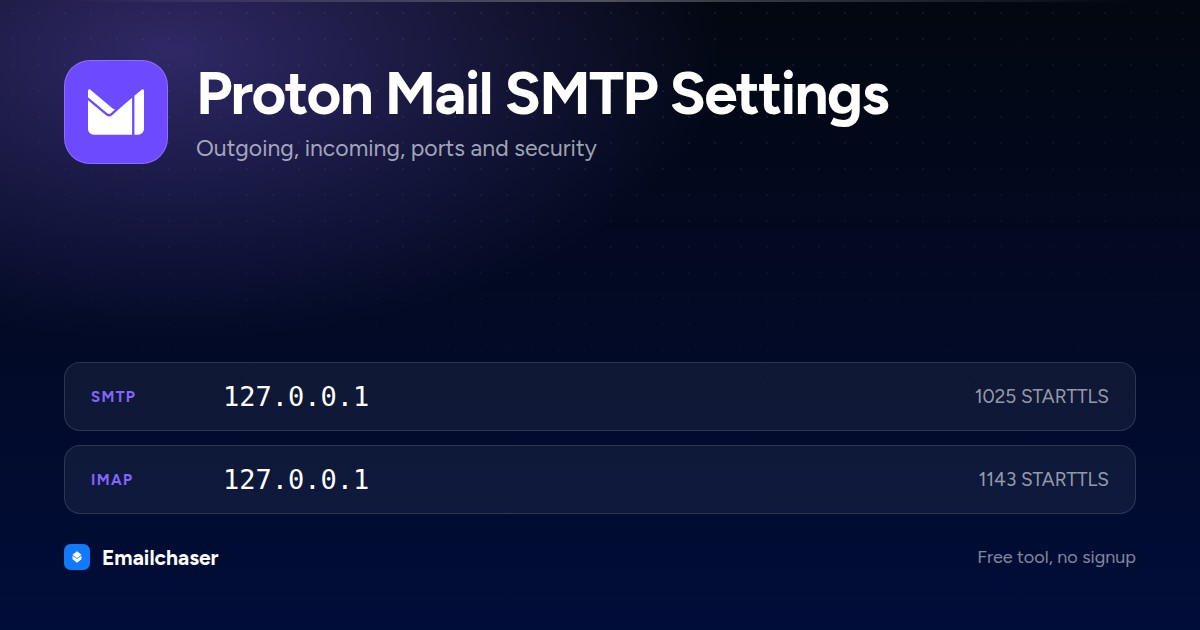
One card with every server and port on it. Right click to save it, or share the page and this is the preview people see.
What to enter as your Proton Mail username and password
Wrong credentials, not a wrong port, are the usual reason a Proton Mail connection fails. These are the exact values to type.
The custom domain email address shown when the token is generated, for example you@yourdomain.com
The SMTP token generated in Proton Mail settings. Proton says your login password and mailbox password will not work.
How to set up Proton Mail in a mail client
The exact path through Proton Mail's own settings, in order.
- 1
Check you are on a paid plan with a custom domain
Proton states that SMTP is available for all paid Proton Mail plans with custom domain addresses. The token is issued against one of your active custom domain addresses, so add and verify the domain first.
- 2
Open Settings, All settings, IMAP/SMTP
Sign in to Proton Mail in a web browser, then follow Settings > All settings > IMAP/SMTP > SMTP tokens.
- 3
Generate the token
Click Generate token, type a name that identifies the app or device, pick one of your active custom domain email addresses, then click Generate.
- 4
Confirm with your account password
Enter your Proton Mail account password when prompted. The SMTP username and the token then appear on screen.
- 5
Copy the token before closing the pop-up
Proton states you will not be able to see the token again after closing the pop-up. If you lose it, delete that token and generate a new one.
- 6
Enter the settings in your app
Host smtp.protonmail.ch, port 587, STARTTLS encryption, authentication PLAIN or LOGIN.
What Proton Mail looks like filled in
Every mail client asks for the same handful of fields. Here they are with Proton Mail's values already in place.
Account settings: Proton Mail
Server
127.0.0.1Port
1025Encryption
STARTTLSAuthentication
RequiredUsername
The custom domain email address shown when the token is generated, for example you@yourdomain.comPassword
The SMTP token generated in Proton Mail settings. Proton says your login password and mailbox password will not work.Server
127.0.0.1Port
1143Encryption
STARTTLSAn illustration of the fields, not a screenshot of any one app. Field names differ slightly between Outlook, Apple Mail and Thunderbird; the values do not.
Proton Mail SMTP settings in Thunderbird
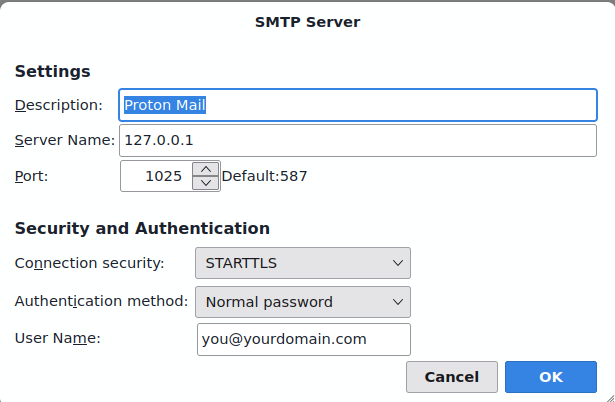
The outgoing server dialog with Proton Mail's details entered. Outlook and Apple Mail ask for the same four things under slightly different names.
Which port should you use for Proton Mail?
STARTTLS on 127.0.0.1:1025, provided locally by Proton Mail Bridge.
STARTTLS
Starts as a plain connection, then upgrades to an encrypted one. The modern standard for sending.
SSL/TLS
Proton Mail does not accept SSL/TLS on 465. Use the STARTTLS port instead.
Plain SMTP
Meant for server-to-server relay. Home networks and cloud hosts block it, so do not use it to send from a client.
Why your Proton Mail connection is failing
The failures people actually hit with Proton Mail, and what fixes each one.
Proton's SMTP tokens are for submission only. To receive in a desktop client you need Proton Mail Bridge, which runs locally and uses port 1143 for IMAP and 1025 for SMTP.
Tokens are issued against an active custom domain address. Add and verify your domain in Proton first, then create an address on it.
Proton rejects both the login password and the mailbox password over SMTP. Generate a token under Settings > All settings > IMAP/SMTP > SMTP tokens and paste that instead.
Proton does not redisplay a token for security reasons. Delete the old token and generate a fresh one for that app.
The host still uses the old brand name: smtp.protonmail.ch, port 587, STARTTLS.
Proton Mail sending limits
Each recipient counts as a separate email, so one message to ten people uses ten of your allowance.
Per day
150 emails on the free plan; paid plans vary with account reputation
Per hour
50 emails on the free plan
Recipients per message
100 recipients across To, CC and BCC
Max attachment
25 MB total per outgoing email, across up to 100 files (50 MB incoming)
Compare all 51 providers' sending limits in one table with a source link and a confidence rating for each.
Proton Mail servers by region and plan
Proton Mail does not use one set of hostnames everywhere. Match the row to your account.
| Region or plan | SMTP | IMAP | POP3 |
|---|---|---|---|
| Proton Mail Bridge (paid plans, runs on your own machine) | 127.0.0.1:1025 | 127.0.0.1:1143 | Not applicable |
Proton Mail quirks by mail client
Thunderbird
With Proton Mail Bridge running, Thunderbird usually finds the local settings by itself and shows Configuration found at email provider. Proton says that if your address is on a custom domain you have to click Configure manually and copy the details from the Bridge Mailbox details screen instead.
Outlook
An SMTP token cannot make Outlook receive mail, so Outlook needs Proton Mail Bridge and the local Bridge ports rather than smtp.protonmail.ch.
Sending cold email through Proton Mail
Send limits apply per plan (Proton throttles to prevent abuse). Third-party SMTP/IMAP needs Proton Mail Bridge (paid plans) running on your machine: it exposes a local, encrypted gateway.
Those caps make single-mailbox sending fine for personal mail but a poor fit for cold outreach at volume. Emailchaser spreads sending across warmed inboxes and manages deliverability, so you can scale without burning Proton Mail accounts.
A new Proton Mail mailbox also starts with no sending history, and hitting the cap above on its first day is what gets it filtered. Warm the mailbox up first so its daily volume climbs gradually toward that limit rather than starting at it. Emailchaser includes that ramp on every plan.
Other consumer email providers
Setting up more than one mailbox? These sit in the same category as Proton Mail.


Common questions about Proton Mail SMTP settings
What are Proton Mail's SMTP settings?
Proton Mail's outgoing (SMTP) server is 127.0.0.1. Use port 1025 (STARTTLS). STARTTLS on 127.0.0.1:1025, provided locally by Proton Mail Bridge. Sign in with your full email address and password (or app password).
What is Proton Mail's IMAP or POP3 server?
Proton Mail's incoming IMAP server is 127.0.0.1 on port 1143 (STARTTLS). POP3 is not supported.
Which port should I use for Proton Mail?
Use port 587 with STARTTLS wherever it's offered, it's the modern standard for authenticated sending. Port 465 with SSL/TLS is a solid alternative. Avoid port 25, which most networks block for client sending. Proton Mail's recommended value is above.
Why won't my Proton Mail SMTP connection work?
Check authentication first: Third-party SMTP/IMAP needs Proton Mail Bridge (paid plans) running on your machine: it exposes a local, encrypted gateway. Use the username and password that Proton Mail Bridge generates, not your Proton account password. Then confirm the host, port and security method match exactly, a 587/SSL or 465/STARTTLS mismatch will fail to connect.
Can I send bulk or cold email through Proton Mail?
Not at scale. Send limits apply per plan (Proton throttles to prevent abuse). Providers throttle bursts to fight spam, so pushing cold email through one mailbox hits limits and wrecks deliverability. High-volume outreach belongs on dedicated infrastructure that spreads sending across warmed inboxes, which is what Emailchaser does.
Can I use Proton Mail in Outlook or Apple Mail without paying?
No. Both routes out of Proton need money. Proton Mail Bridge, the only way to get mail into a desktop client, is available only with a paid Proton Mail plan. The SMTP token also needs a paid plan and a custom domain on top of that.
Are messages sent through Proton's SMTP still end-to-end encrypted?
No. Proton says plainly that emails sent using SMTP are not end-to-end encrypted, because your app hands Proton the readable message. Proton still applies zero-access encryption once the message is stored, and the anti-spoofing records SPF, DKIM and DMARC still apply.
Why is the hostname protonmail.ch when the company is now proton.me?
Proton rebranded its website to proton.me but kept the original mail server names. smtp.protonmail.ch is the current, correct host in Proton's own documentation, so do not swap it for anything on proton.me.
Ready to 10x your pipeline?
Send your first cold email campaign today.
Start my free trial