How to Effectively Manage and Track Cold Email Leads Using a CRM


By Robby Frank
Updated October 2026
A simple way to track every cold email reply: clear statuses, a small pipeline, and an owner and next action for every lead.
Guest post by the team at folk.
A cold email gets a reply: “Sounds interesting. Send me more details.” Another prospect asks you to check back next month. A third books a call.
Without a clear way to track what happens next, these conversations end up scattered across inboxes and spreadsheets.
A CRM gives each lead a status, an owner, and a next action. You can see who replied, what they asked for, and when someone needs to follow up. The setup doesn’t need to be complicated. A small pipeline and a few consistent rules are enough to keep promising replies moving.
Next action: send details today
Next action: follow up on 12 November
Next action: call on Thursday, 10:00
Three replies, three different next steps. Each one gets a status, an owner and a next action.
Here is what this guide covers:
1. Define what counts as a lead
2. Build a pipeline around what happens after a reply
3. Keep the campaign context with each contact
4. Follow up based on the reply
5. Review your pipeline once a week
When do you need a dedicated CRM?
1. Define what counts as a lead
Not every reply needs a place in your sales pipeline. An out-of-office message, a referral to another person, and a request for a demo all require different actions.
Before importing contacts into your CRM, agree on a few clear statuses:
| Status | What it means |
|---|---|
| Contacted | The prospect has received an email but hasn’t replied. |
| Replied | They responded, but their level of interest isn’t clear yet. |
| Interested | They’ve asked a relevant question or agreed to discuss their needs. |
| Meeting booked | A call is on the calendar. |
| Not now | They’ve given a future date or condition for reconnecting. |
| Not a fit | They’ve declined or don’t match your target customer. |
The quality of this tracking starts with the contacts you choose to email. Emailchaser’s guide to building a lead list for cold email covers how to identify prospects who match your ideal customer profile.
Use the statuses consistently. If one rep marks “send me pricing” as interested and another leaves it as a generic reply, neither can reliably tell how many promising conversations the campaign produced.
2. Build a pipeline around what happens after a reply
A pipeline should show where each conversation stands and what needs to happen next. For most cold email campaigns, five stages are enough:
A five-stage pipeline for cold email replies. A lead moves right only when something actually happens.
- New reply: Someone needs to read and classify the response.
- Interested: The prospect has shown interest and needs a relevant answer.
- Meeting booked: A call is scheduled, with its date and owner recorded.
- Opportunity: There’s a defined need and an active sales conversation.
- Closed or nurture: The deal is won or lost, or the prospect has agreed to reconnect later.
Move a lead when something actually happens, not when you hope it will. “I’ll take a look” is still a reply; it isn’t a booked meeting. If a prospect asks you to check back in November, record the date and keep the reason for the delay with the contact.
Every active lead should also have an owner and a next action. That might be “answer pricing questions today” or “send the proposal after Thursday’s call.” Without those two fields, a pipeline shows where leads are stuck but doesn’t help anyone move them forward.
3. Keep the campaign context with each contact
A reply makes more sense when you can see what prompted it. Before handing a lead to another team member, make sure their CRM record includes:
- The campaign and email they received.
- Their company, role, and contact details.
- Their reply and any questions or objections.
- The last interaction and its outcome.
- The owner, next action, and due date.
For example, “interested in a demo” tells a teammate very little. “Asked whether the product integrates with Salesforce; send details before Tuesday’s call” gives them something they can act on.
A contact record a teammate can act on without opening anyone’s inbox. Sample data.
Keep these details in the contact record as the conversation continues. If the prospect later replies from another address or a colleague joins the call, the team can see the earlier exchanges without searching through individual inboxes.
4. Follow up based on the reply
A prospect who hasn’t replied can receive a planned campaign follow-up. A prospect who has replied needs a response that addresses what they said. Treating both the same way risks sending an irrelevant reminder after a conversation has already started.
| What they said | What to do next |
|---|---|
| “Send me pricing.” | Answer the question and record when to check back if they don’t respond. |
| “Try me next month.” | Save the date and the reason they asked you to wait. |
| “I’m not the right person.” | Ask for the appropriate contact and update the record before reaching out. |
| “We’re interested, but this isn’t a priority yet.” | Record what would change their timing, then set a relevant follow-up date. |
For prospects who haven’t responded at all, Emailchaser’s guide to writing a cold email follow-up offers examples you can adapt. Once someone replies, let the conversation and their stated timing determine your next message.
5. Review your pipeline once a week
A short weekly review keeps small gaps from turning into lost opportunities. Check three things:
- Replies without a next action: Who needs an answer, and who owns it?
- Meetings without follow-up: Was the call held, and what did the prospect agree to do next?
- Follow-up dates that have passed: Did the team reconnect when promised?
Then look at how many positive replies became meetings and how many meetings became opportunities. Those numbers show whether conversations are progressing. An email open, by itself, doesn’t tell you whether a prospect is interested.
The numbers worth reading each week: how many leads move from one stage to the next. Sample numbers.
If the same leads stay in one stage week after week, open their records. You’ll usually find a specific blocker: an unanswered question, a proposal that wasn’t sent, or a decision date nobody recorded.
When do you need a dedicated CRM?
Emailchaser’s built-in Sales CRM lets you manage leads who reply to your cold email campaigns. If the conversation stays within email and moves quickly to a decision, that may be all the tracking you need.
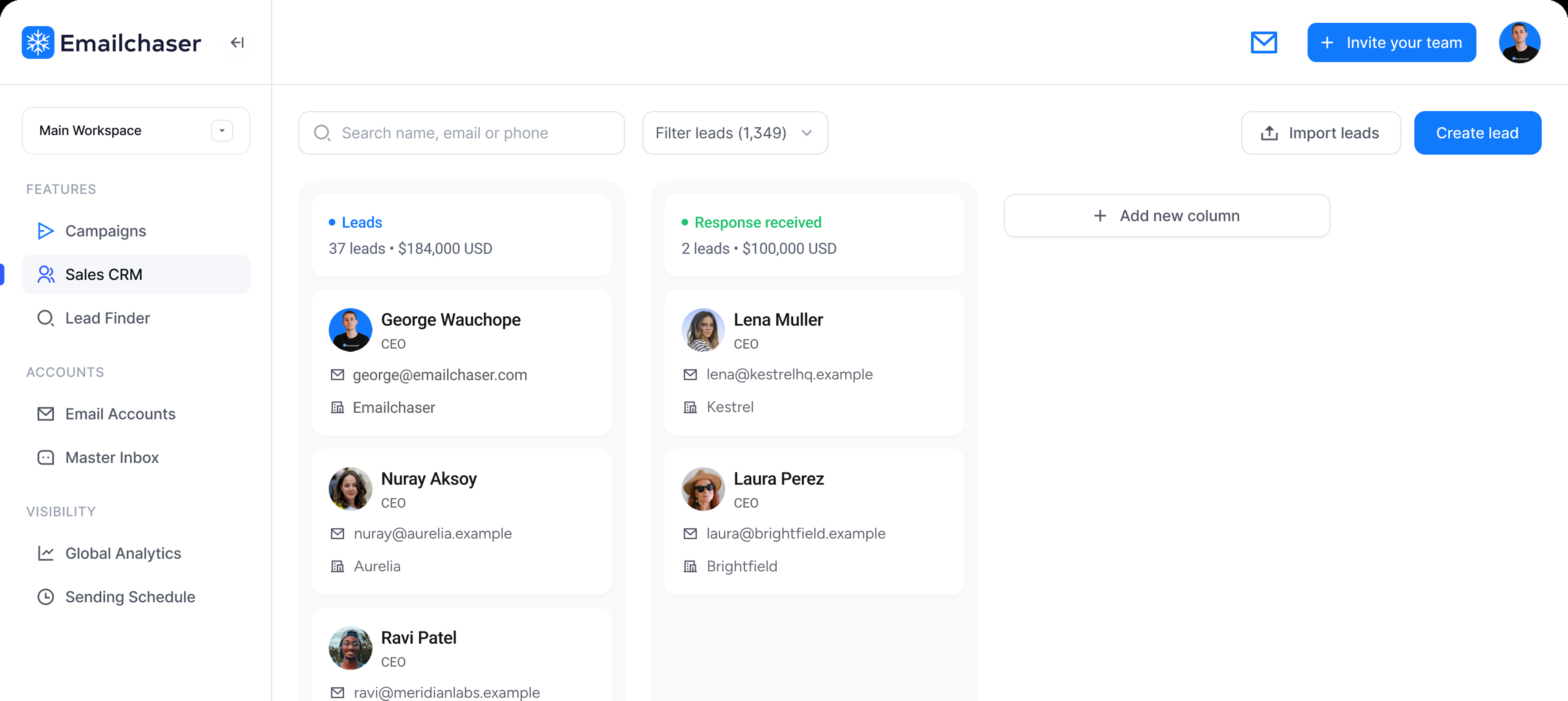
A dedicated CRM becomes useful when the sale continues beyond the campaign. A prospect might introduce two colleagues, book a call, request a proposal, and then continue the discussion over email and LinkedIn. At that point, the team needs a shared record of the people involved, the deal stage, and the next action.
It moves quickly to a decision.
The deal runs through calls and proposals.
The discussion continues over email and LinkedIn.
For that kind of process, a CRM for tracking contacts and deals can keep the relationship and pipeline organized as the conversation develops. Set a clear point for moving leads over, such as when a meeting is booked or an opportunity is qualified, so the team doesn’t maintain the same deal in two places.
Conclusion
Cold email lead tracking comes down to a few habits: classify each reply, keep the conversation attached to the contact, and give every active lead an owner and a next action. Review those actions weekly so a promising reply doesn’t disappear after the first exchange.
Keep the pipeline simple enough for the team to use consistently. As a conversation grows into a deal involving more people and channels, move it into the system where the rest of your sales work happens.
Frequently asked questions
What is the best way to track cold email leads?
Give each contact a clear status, an owner, and a next action with a due date. Keep their campaign, reply, and later conversations in the same record so anyone on the team can see what has happened.
Should every cold email contact go into a sales pipeline?
No. A prospect who hasn’t replied can remain in the outreach campaign. Move them into an active sales pipeline when their response requires a conversation or a specific next step. Record “not now” replies separately, with the date they asked you to reconnect.
What CRM fields are essential for cold email leads?
Start with the contact’s name, company, campaign, lead status, owner, last interaction, next action, and due date. Add an objection or qualification field only if your team uses that information to decide what to do next.
When should a cold email lead move from Emailchaser to a dedicated CRM?
Choose a handoff point your team can apply consistently, such as a booked meeting or a qualified opportunity. A dedicated CRM is most useful when the conversation continues across multiple people, deal stages, or channels. The lead’s reply and campaign context should move with them.
Which cold email metrics matter after a prospect replies?
Track positive replies, meetings booked, and opportunities created. Review how many leads move from one stage to the next, and check why others stall. Open rates alone cannot tell you whether a prospect intends to buy.
Free tool
Check any email address for free
Our free email checker shows whether an address is valid and safe to send to before you launch a campaign. 3 free checks a day, no signup.
Try the free email checker

Article by
Robby Frank
Partner at Emailchaser, and CTO & Head of Growth at Momentum Labs, the B2B SaaS studio behind it.
I also run Prymatica, a done-for-you cold email agency, so most of my weeks are spent inside real outbound campaigns.
Self-taught: I started as a frontend developer in 2012 and have been building B2B SaaS ever since.