How do I verify an email list before a cold email campaign?
Updated 30 October 2026
The short answer
Clean the list first, then verify every address before you send. Emailchaser cleans a list of up to 10,000 rows free in your browser, then checks each address for format, mail server and mailbox. A second, independent provider checks every address the first one doesn't reject, so a catch-all address gets a second opinion.
You can verify a list in three steps.
- Drop your list into the list cleaner. Duplicates and broken addresses come out free, in your browser.
- Verify the rest in Emailchaser. Your 7-day free trial checks 100 addresses, and paid plans verify up to 50,000 in one job.
- Send to the addresses that pass, and deal with the rest by their result.
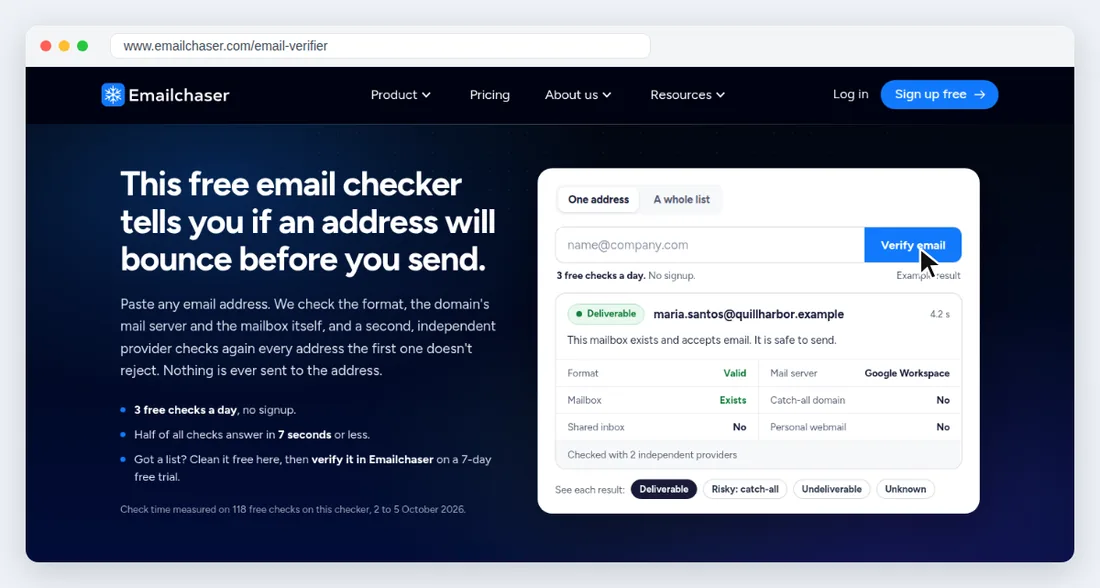
Each result tells you what to do with the address.
| Result | What it means | What to do |
|---|---|---|
| Deliverable | The mailbox exists and accepts email. | Send to it. |
| Risky: catch-all | The domain accepts every address, so no check can prove this mailbox. | Put it in a separate batch. |
| Undeliverable | The mailbox does not exist. | Remove it and keep it on your do-not-email list. |
| Unknown | The mail server did not answer in time. | Check the address again later. |
Verifying 1,000 addresses costs $1.70 to $3.40.
A check costs $0.0017, and an address takes 1 check when the first provider rejects it outright and 2 otherwise. Verification is billed by use on top of any plan, apart from lead credits.