The 9 Best Email Deliverability Tools in 2026
Your sending tool can tell you a message was accepted, but only a deliverability tool can tell you whether it reached the inbox. These are the nine we would shortlist, compared on what they check, how you start free and what they cost.
Updated 3 November 2026
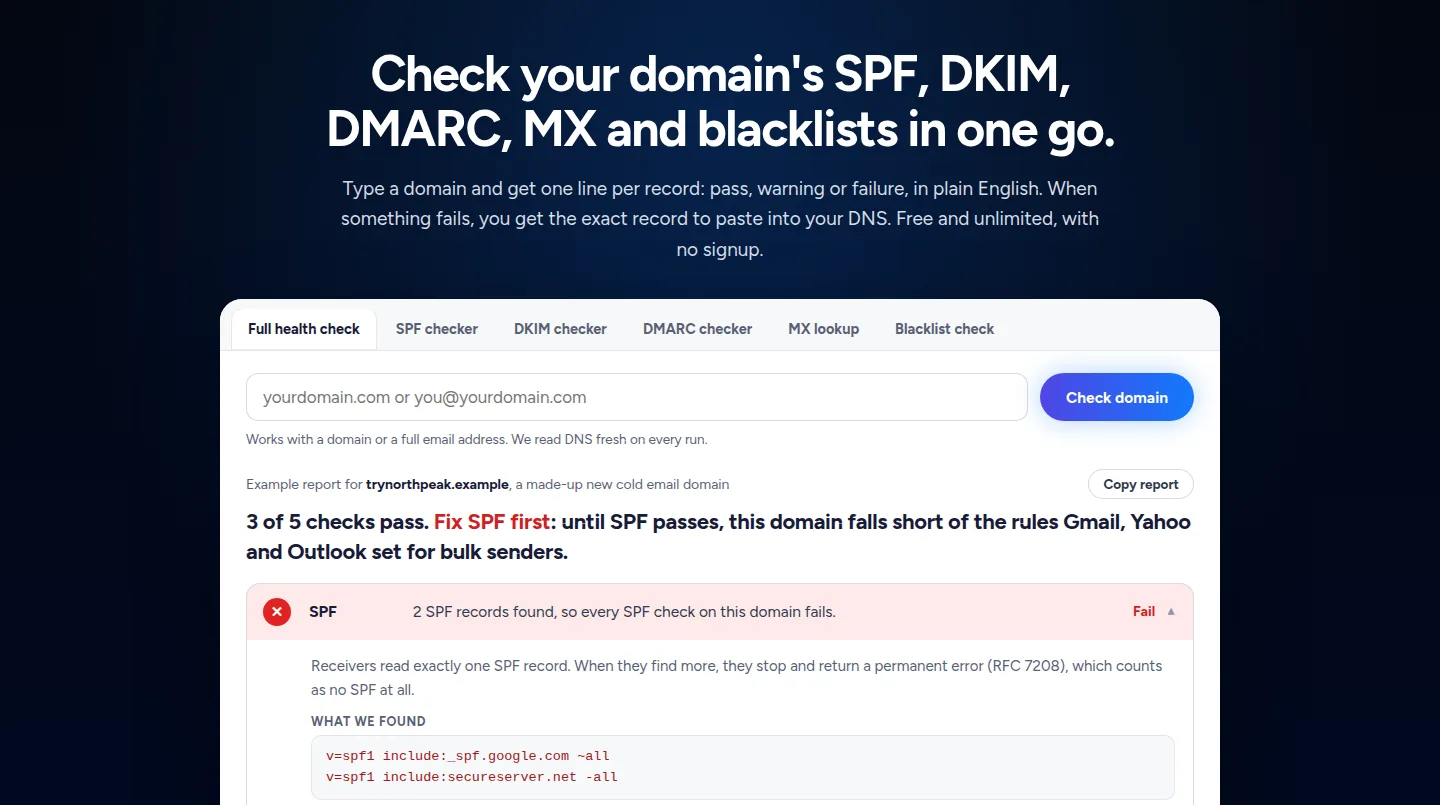
Emailchaser is our pick for cold email teams: a free domain health check covers SPF, DKIM, DMARC, MX and blocklists with no signup, an inbox placement add-on from $23 a month tests real inboxes at Gmail, Outlook and Yahoo, and warm-up and sending live in the same account.
GlockApps, Folderly and MailGenius focus on placement and spam testing, EasyDMARC and dmarcian on DMARC reports, Mail-Tester on a quick single-message check, and Google Postmaster Tools on how Gmail rates your domain.
Here is how the nine email deliverability tools compare at a glance.
Swipe sideways to see every column.
| # | Tool | What it checks | Free start | Starts at | Also in the account |
|---|---|---|---|---|---|
| 1 |  Emailchaser | SPF, DKIM, DMARC, MX and blocklists, and inbox placement in real inboxes | Free domain health check, no signup | Placement add-on from $23 a month | Warm-up, address verification and the campaign sender |
| 2 | GlockApps | Inbox placement, DMARC analytics, uptime and IP reputation | Free plan with 2 test credits | $59 a month billed yearly | DMARC digest and an uptime monitor |
| 3 | Folderly | Sender reputation, placement tests, DNS and blocklist signals | Inbox Insights, 2 tests a month | $96 per mailbox a month billed yearly | Pulse alerts and DMARC reports |
| 4 | MailGenius | Spam tests with inbox placement and AI copy analysis | No free plan on its pricing page | $23 a month | Blacklist monitoring on the $79 plan |
| 5 | Mail-Tester | A spam test of one message, plus SPF, DKIM and DMARC checkers | Free tools on its home page | See its pricing page | An IP reputation check and a DMARC report analyzer |
| 6 | Google Postmaster Tools | Spam rate, reputation, authentication and delivery errors at Gmail | Set up with a Google account | See Google's help page | Domain and IP dashboards |
| 7 | EasyDMARC | DMARC reports, with placement tests on its Deliverability plan | A free trial of the DMARC plans | $35.99 a month billed yearly | A DNS manager and reputation monitoring |
| 8 | dmarcian | DMARC reports and sender management | A free Personal plan for non-business use | $19.99 a month billed yearly | A domain audit tool |
| 9 | Validity Engage | Inbox placement and deliverability for large senders | Demo on request | Price on request | Program and competitive intelligence |
Prices and features as published on each vendor's own pages, read on 3 November 2026. Each card below links to the vendor's page.
Emailchaser's inbox placement add-on starts at $23 a month, level with MailGenius and below GlockApps and Folderly.
Each figure is the smallest plan with placement or spam testing as listed. Emailchaser's tier has unlimited tests, and the others cap tests each month.
Email deliverability breaks in three places, and each one needs a different check.
SPF, DKIM, DMARC and MX records tell receivers your mail really comes from you.
A seed-inbox test shows whether a message lands in the inbox, a tab or spam.
Blocklists and Gmail's reputation data show how receivers already see your domain.
An inbox placement test reads real seed inboxes instead of guessing from bounce codes.
Check deliverability in four steps.
- RecordsRun the domain health check and fix any failing record.
- ListsCheck the domain and the sending IP on public blocklists.
- PlacementSend a test to seed inboxes and read where each message landed.
- VolumeWarm new mailboxes and keep each one inside its daily limit.
We compared them on five things that decide how much of your email reaches an inbox.
- Whether the tool reads real inboxes or only your DNS records.
- How you can start free, and what the free start covers.
- Whether DMARC reports are included.
- Whether the price is per mailbox, per test or per plan.
- What else the same account does, such as warm-up, verification or sending.
Every fact below comes from the vendor's own pages, read on 3 November 2026.
These are the nine email deliverability tools worth a look in 2026.
1. Emailchaser checks your domain for free and tests inbox placement in real inboxes.
Emailchaser's free domain health check reads SPF, DKIM, DMARC, MX and blocklists in one go, with no signup, and shows the exact record to publish when one fails. Its Inbox Placement add-on sends from your own mailboxes to seed inboxes at Gmail, Outlook and Yahoo and reports where each message landed.
- The domain health check is free and unlimited, and every failing line comes with the record to paste into your DNS.
- Inbox Placement is a paid add-on from $23 a month on any plan: unlimited placement tests from up to 20 sending accounts, and a spam score for every email before you send it.
- Each test message is reported as primary inbox, a Gmail category tab, spam or never arrived, and your domain is checked against 23 DNS blocklists with a delisting link for each.
- The $47 tier re-runs tests on a schedule, alerts you when placement drops and pauses the mailbox at fault.
- Warm-up, address verification and the campaign sender live in the same account.
Best for: Cold email teams that want to fix their setup, measure placement and send from one account.
2. GlockApps tests inbox placement and adds DMARC analytics and uptime monitors.
GlockApps lists a free plan with 2 spam test credits, then Essential at $59 a month billed yearly with 360 credits, Growth at $99 with 1,080 and Enterprise at $129 with 1,800.
- Every plan lists DMARC analytics for unlimited domains, with 10,000 messages a month on Free and up to 12,000,000 on Enterprise.
- Uptime monitors run from 5 on Free to 30 on Enterprise, and IP reputation monitors from 1 to 25.
- Its paid plans list Inbox Insight, its inbox placement product, and DMARC Digest.
Best for: Teams that want seed-list placement tests and DMARC reports in one tool.
Source: glockapps.com/pricing, read 3 November 2026.
3. Folderly sells sender-reputation upkeep per mailbox and placement tests separately.
Folderly's products page lists Folderly itself, for everyday sender-reputation maintenance, at $96 per mailbox a month on yearly billing. Inbox Insights checks email placement, IPs and DNS records, and is free for 2 tests a month or $79 a month for 100 tests.
- Pulse tracks placement over time and sends alerts by email, Slack and SMS, and it is listed as free.
- Lens inspects DNS, authentication, reverse DNS and blocklist signals, and Flash tests a real message sent from your own tool.
- A DMARC pilot and an email preview beta are listed next to them.
Best for: Teams that want hands-on reputation care for each sending mailbox.
Source: folderly.com/products, read 3 November 2026.
4. MailGenius runs spam tests with AI copy analysis from $23 a month.
MailGenius's pricing page lists Beginner at $23 a month for 60 email tests, Genius at $39 for unlimited tests, and a $79 plan that tests every email you send automatically and monitors blacklists for unlimited domains.
- Every plan lists an AI deliverability consultant and AI copywriting analysis with a rewrite.
- Test results include inbox placement as well as the copy analysis.
- Genius lets you test your competitors' or prospective clients' emails.
Best for: Writers who want a spam test and copy feedback on every draft.
Source: mailgenius.com/pricing, read 3 November 2026.
5. Mail-Tester gives you a test address for one email and a set of free DNS checkers.
Mail-Tester's home page asks you to send your email to a test address to see how spammy it looks. Its free tools list has an SPF and DKIM checker, a DMARC checker, a BIMI checker, a domain scanner, a DNS record lookup, a phishing link checker and an IP reputation check.
- It also lists an SPF generator, a DKIM generator, a DMARC generator and a DMARC report analyzer.
- An API and a pricing page are listed in its menu.
Best for: A fast one-off look at a single message before you send it.
Source: mail-tester.com, read 3 November 2026.
6. Google Postmaster Tools shows how Gmail sees your domain and sending IPs.
Google's help page says Postmaster Tools dashboards hold detailed information about spam rate, reputation, message authentication and delivery errors for mail you send to personal Gmail accounts. You need a Google Account or a Google Workspace account.
- Its data covers only messages sent to personal Gmail addresses, the ones ending in gmail.com or googlemail.com.
- You add your DKIM or SPF domain and verify it with a TXT or CNAME record, which can take up to 10 minutes.
- Subdomains can be added to see their dashboards separately.
Best for: Anyone who sends to Gmail and wants Google's own view of their reputation.
Source: support.google.com/mail/answer/9981691, read 3 November 2026.
7. EasyDMARC starts with DMARC reports and adds inbox placement tests on a custom plan.
EasyDMARC's business packages list DMARC Plus at $35.99 a month billed annually ($44.99 monthly) and DMARC Premium at $71.99 ($89.99 monthly). Its custom Deliverability package adds delivery analytics, reputation monitoring, inbox placement testing and email investigation.
- DMARC Plus covers 2 domains and 3 months of data, and Premium covers 4 domains and a year.
- The Deliverability package lists 300 inbox placement tests and 200 email previews a month.
- A free trial is listed for the DMARC plans.
Best for: Teams that mostly need DMARC reporting and may add placement tests later.
Source: easydmarc.com/pricing, read 3 November 2026.
8. dmarcian focuses on DMARC reports and charges from $19.99 a month billed yearly.
dmarcian's pricing page lists a free Personal plan for non-business use, Basic at $19.99 a month billed yearly, Plus at $199 and Enterprise at $499. Billed monthly, Basic is $24, Plus $240 and Enterprise $600.
- Basic covers up to 2 domains and 100,000 DMARC-capable messages a month.
- Plus covers up to 8 domains and 3 users, and Enterprise up to 15 domains and unlimited users.
- A domain audit tool is listed in its menu.
Best for: Teams that want a DMARC specialist and do not need placement tests.
Source: dmarcian.com/pricing, read 3 November 2026.
9. Validity Engage is an enterprise deliverability platform sold through a demo.
Validity's Engage page describes AI-powered email deliverability and inbox placement, and offers contact sales and a demo instead of a price.
- Its MCP connector brings live inbox, program and competitive intelligence into the AI tools you already use.
- No plan or price is listed on the page we read.
Best for: Large email programs that want a vendor-led set-up.
Source: validity.com, read 3 November 2026.
The right deliverability tool depends on the problem in front of you.
| Your job | Start with |
|---|---|
| Check a domain's SPF, DKIM and DMARC for free | Emailchaser's domain health check |
| Test where an email lands at Gmail, Outlook and Yahoo | Emailchaser, GlockApps or Folderly |
| Spam test and review the copy of a draft | MailGenius or Mail-Tester |
| See how Gmail rates your sending domain | Google Postmaster Tools |
| Collect and read DMARC reports | dmarcian or EasyDMARC |
| Buy for a large sending program through a demo | Validity Engage |
Related reading: the best email warmup tools, the best cold email software and the best email verification tools. To check a record on its own, use the free SPF checker, DKIM checker or DMARC checker.
People ask these questions about email deliverability tools.
What is the best email deliverability tool in 2026?
For cold email teams we pick Emailchaser: its free domain health check covers SPF, DKIM, DMARC, MX and blocklists, its inbox placement add-on from $23 a month tests real inboxes at Gmail, Outlook and Yahoo, and warm-up and sending are in the same account. GlockApps and Folderly are strong placement-test specialists, and dmarcian and EasyDMARC are DMARC specialists.
How do I check my email deliverability for free?
Run your domain through Emailchaser's free domain health check, which needs no signup, to read SPF, DKIM, DMARC, MX and blocklists. Mail-Tester lets you send one message to a test address, and Google Postmaster Tools shows your reputation at Gmail with a Google account.
What is an inbox placement test?
It sends a real email from your own mailboxes to a panel of seed inboxes, then reads each inbox to see whether the message landed in the primary inbox, a category tab, spam or nowhere. Emailchaser, GlockApps, Folderly and EasyDMARC's Deliverability package all offer one.
How much do email deliverability tools cost?
From the vendors' own pages: Emailchaser's placement add-on is $23 a month, MailGenius starts at $23, GlockApps at $59 a month billed yearly, Folderly's Inbox Insights at $79 a month and EasyDMARC's DMARC Plus at $35.99 a month billed yearly. dmarcian starts at $19.99 a month billed yearly, and Validity quotes a price on request.
Do I need DMARC to send cold email?
For bulk sending, yes. Gmail, Yahoo and Outlook require a DMARC record from bulk senders, which Google and Microsoft define as about 5,000 messages a day, and p=none is the minimum. Below that volume it is not required, but it still stops others sending as your domain unchecked.
What is the difference between deliverability and delivery rate?
A delivery rate counts messages the receiving server accepted. Deliverability asks where they went next. A 99% delivery rate and a campaign sitting in everyone's junk folder look identical from the sending side, which is why a placement test reads the other end.
How do I improve my email deliverability?
Fix any failing SPF, DKIM or DMARC record first, check the domain and IP on blocklists, warm new mailboxes instead of sending at full volume on day one, and verify addresses before you send. Then re-run a placement test to see what changed.
Which tool shows how Gmail sees my domain?
Google Postmaster Tools. Its dashboards show spam rate, reputation, message authentication and delivery errors for mail sent to personal Gmail accounts, and you set it up with a Google account and a DNS verification record.
Still not convinced?
Read all 34 customer messages.
SEE REVIEWSP.s. these are actually real reviews (not fake G2 reviews) 🙂
“Btw thanks for your continuous help, best support ever! It means a lot as when I understand how the tool works, esp. In problematic situations, and And what it can do and cannot so from the start, I have more trust. There’s nothing worse for a user than what Smartlead does: lots of great features that don’t really work, including crucial ones for a sequencer like auto fallback to connected accounts when account gets disconnected (doesn’t have to get back to the original one after reconnection, no one expects miracles, just a solid infra delivering on its specs - not promises), plus their low quality support when the issues are revealed.”
“Got my first reply with Emailchaser :)”
“We've recently upgraded to the premium plan to increase our sending volume. Just wanted to say thanks for such an awesome platform and the support you've already given in getting us started.”
Ready to let your AI agent set it up?
Give it your website. Approve once.
Start my free trial