DFY (Done-For-You) Service From Emailchaser | Automated Email Setup


Updated December 2025
In this guide, we show you how to set up deliverability optimized Google Workspace email accounts using our automated done-for-you service.
Our done-for-you email setup service is the easiest way to spin up dozens of Google Workspace email accounts.
In this guide, I’ll show you how to order and manage your accounts:
- How to purchase done-for-you domains and accounts
- DFY billing
- DFY account passwords
- DFY domain forwarding
How to purchase done-for-you domains and accounts
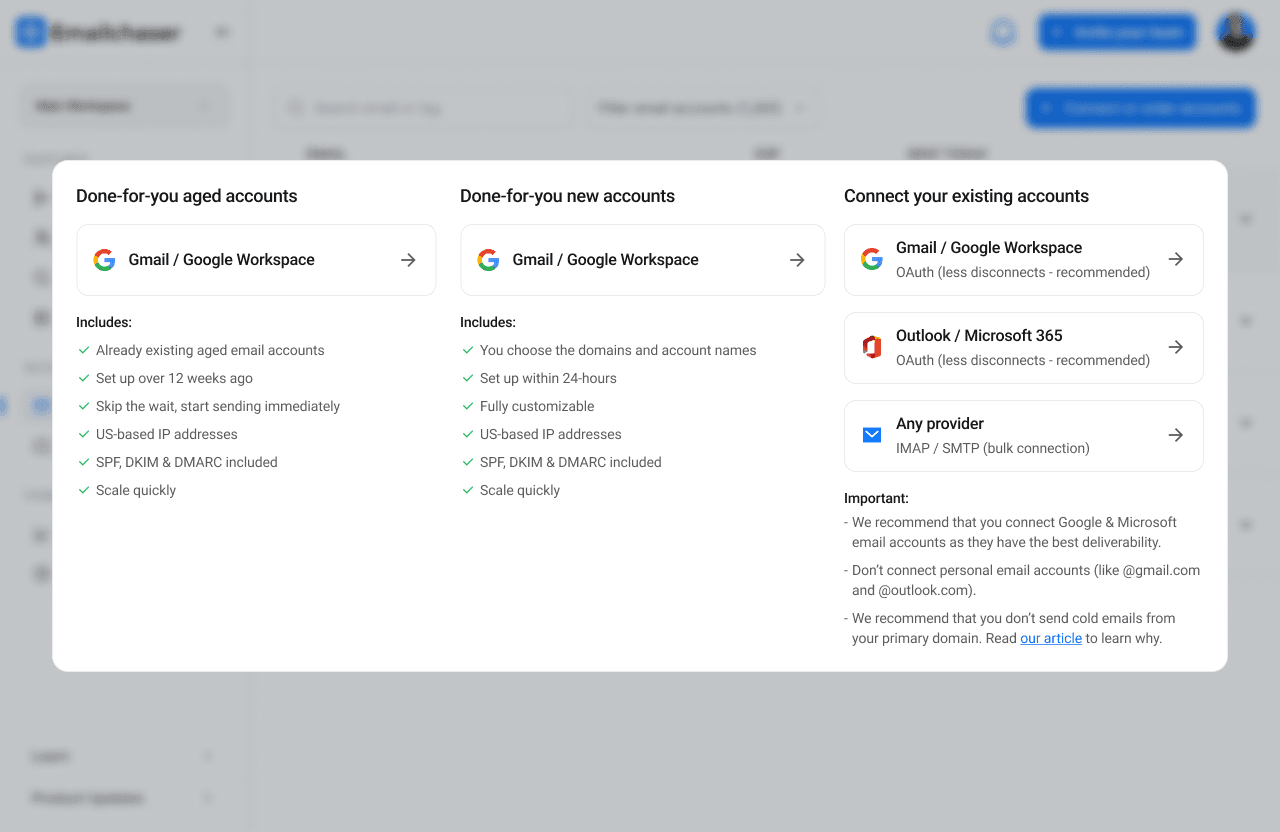
First, you need to visit the "Email Accounts" page in your dashboard.
Then, click the "Connect or order accounts" button.
You can then select either "Done-for-you aged accounts" or "Done-for-you new accounts".
The difference between these two options is that the first option provides already existing aged email accounts, whereas the second option allows you to order new domains and email accounts to allow greater customization.
DFY billing
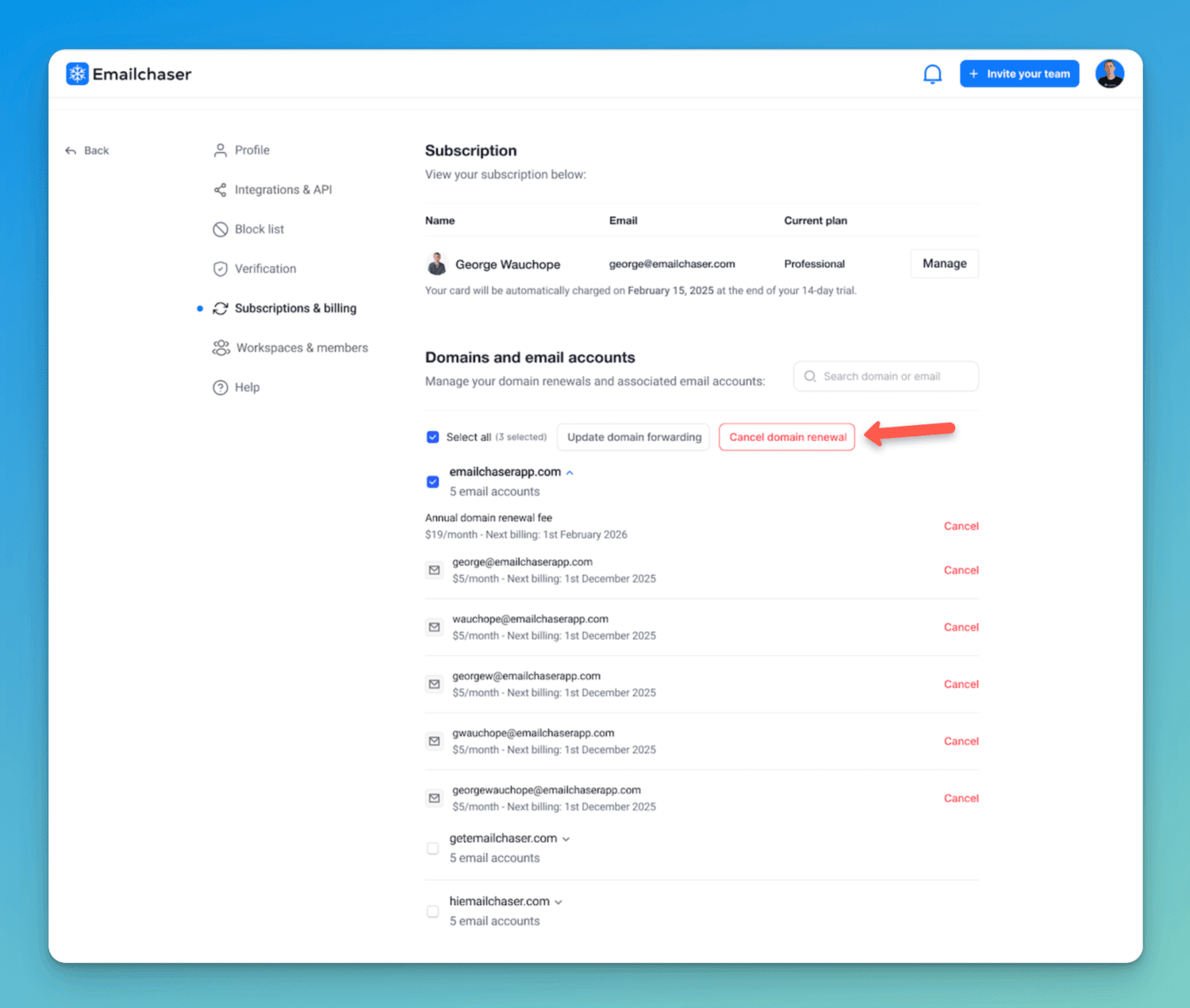
You can manage the billing/subscription of your domains and email accounts on the "Subscriptions & billing" page in settings.
You can cancel domains and email accounts from this page.
DFY account passwords
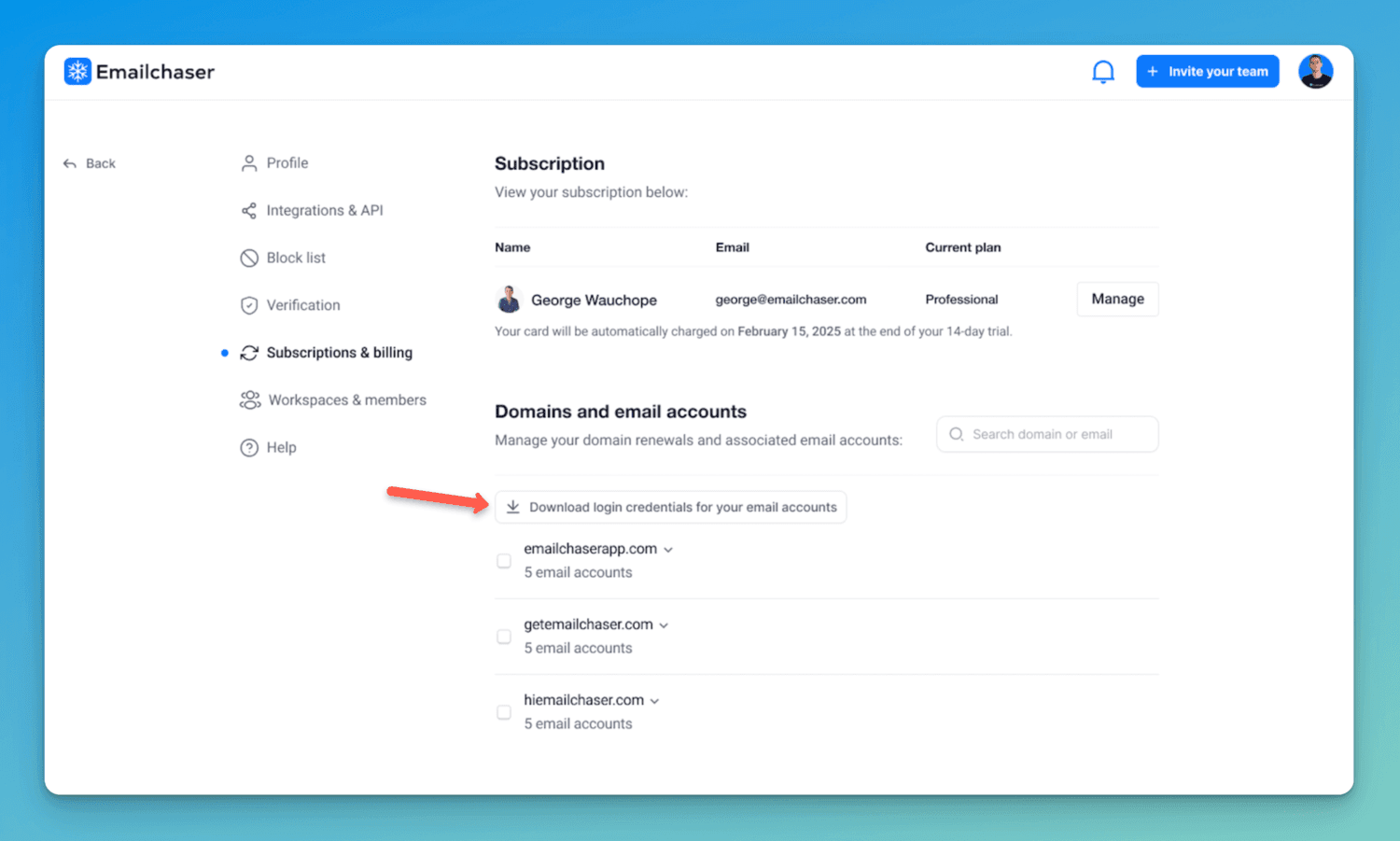
You can download the login credentials for your email accounts from the "Subscriptions & billing" page in your settings.
This allows you to log into the Gmail accounts.
DFY domain forwarding
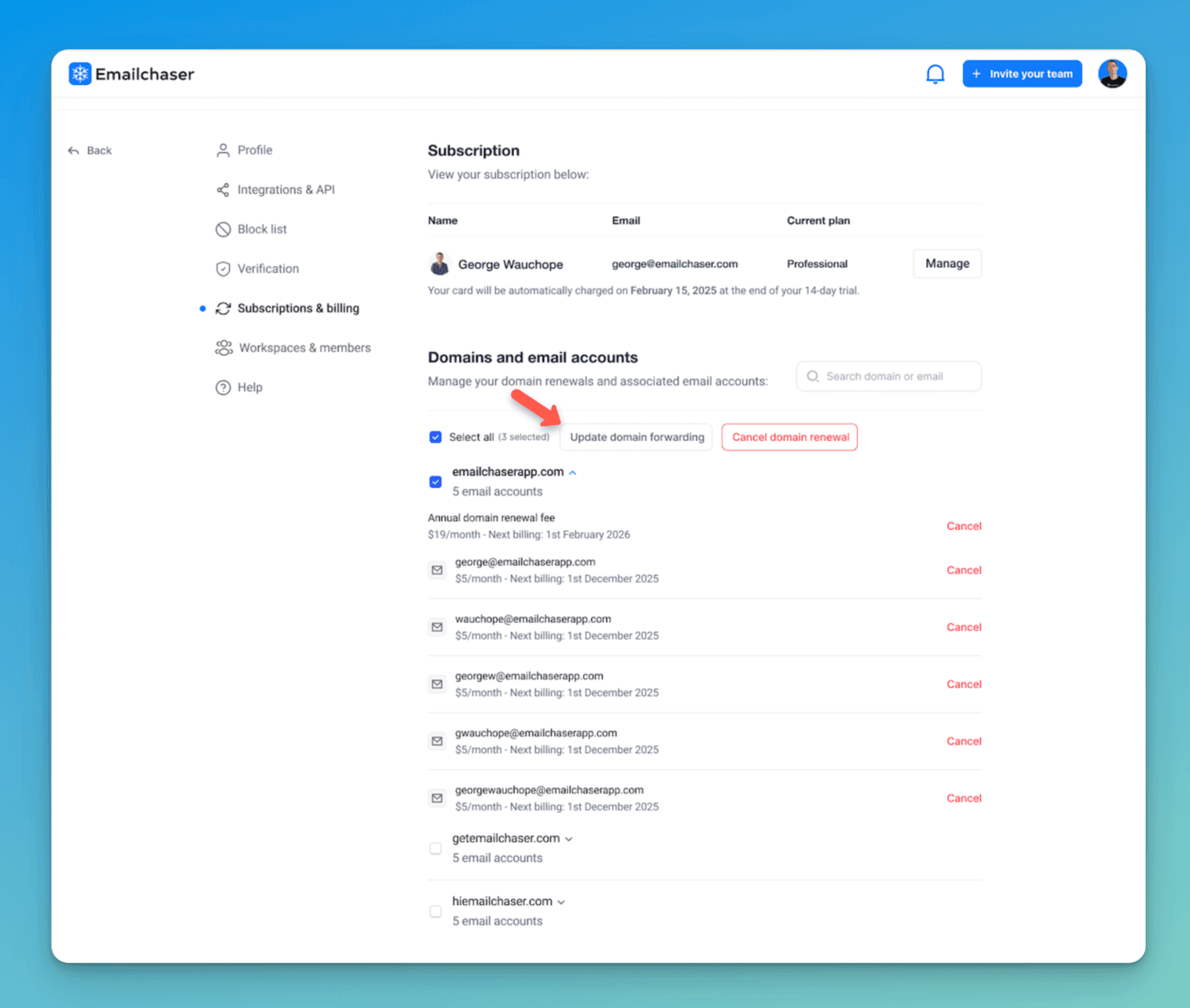
You can update the forwarding of your secondary domains.
Visit the "Subscriptions & billing" page in your settings, and click the "Update domain forwarding" button.
Free tool
Check any email address for free
Our free email checker shows whether an address is valid and safe to send to before you launch a campaign. 3 free checks a day, no signup.
Try the free email checker

Article by
George Wauchope
Founder of Emailchaser. George founded the company and is no longer with it.
I have been working in the sales & marketing industry for nearly a decade.
When I'm not working on my business, I enjoy eating sushi & doing jiu-jitsu.