The 8 Best Sales Prospecting Tools in 2026
Sales prospecting means finding the right people and getting a way to reach them. These are the eight tools we would shortlist, compared on where each finds prospects, how you start free and what happens after you find them.
Updated 3 November 2026
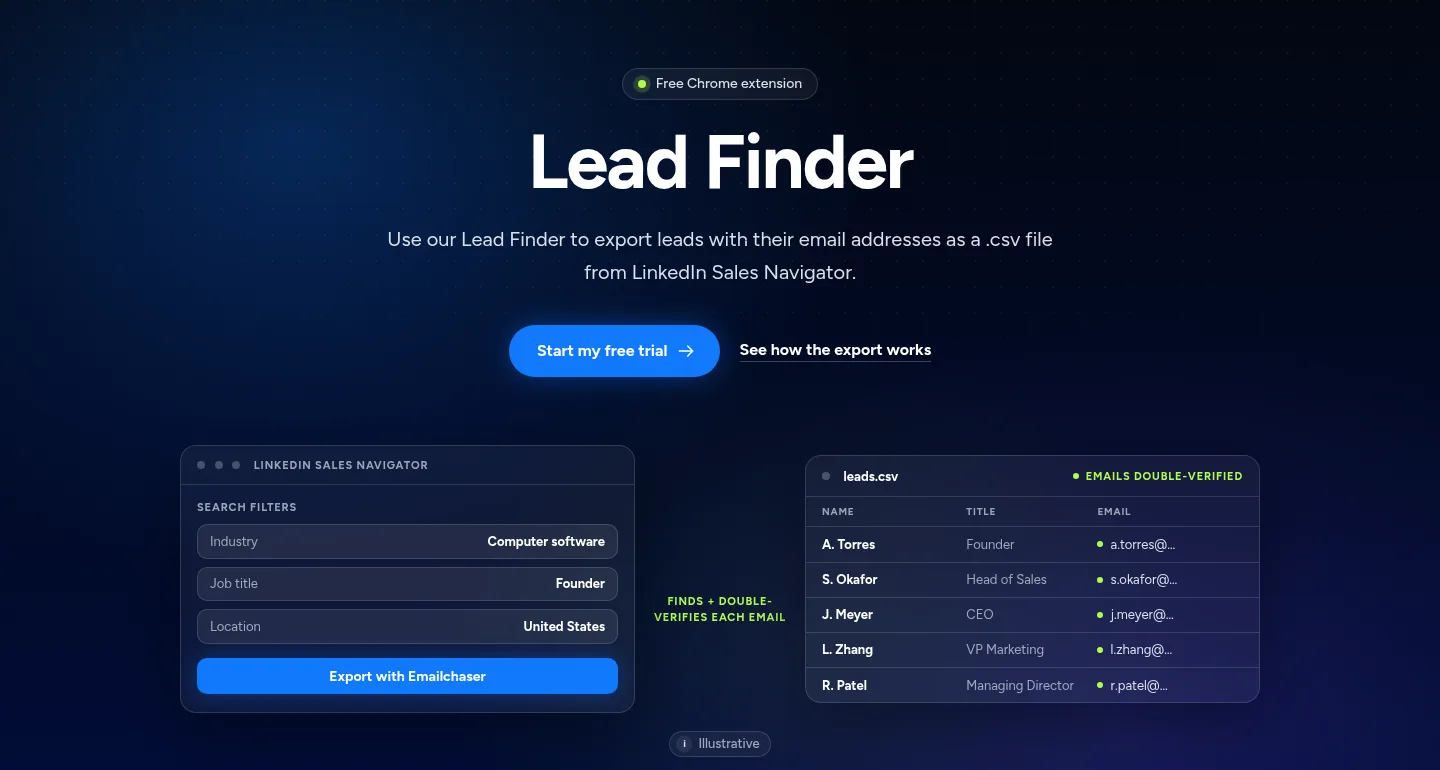
Emailchaser is our pick for sellers who prospect on LinkedIn and want to follow up by email: its free Lead Finder extension exports a Sales Navigator search with double-verified work emails, and the campaign sends from the same account.
Sales Navigator is the search layer, LeadIQ and Lusha capture contacts as you browse, Wiza, Evaboot and Kaspr focus on LinkedIn exports, and Waalaxy runs LinkedIn outreach.
Here is how the eight sales prospecting tools compare at a glance.
Swipe sideways to see every column.
| # | Tool | Where it finds prospects | Free start | Plans start at | After you find them |
|---|---|---|---|---|---|
| 1 |  Emailchaser | Sales Navigator searches, plus a built-in contact database | Free extension, and 500 lead credits in the free trial | $47 a month with sending | Sends the campaign and follow-ups |
| 2 | LinkedIn Sales Navigator | LinkedIn's own search with 50+ filters | A free trial | On its plan pages | Syncs leads to your CRM |
| 3 | LeadIQ | A Chrome extension and database search | 50 credits | $15 a month at the lowest credit setting | Pushes to CRM and sequencing tools |
| 4 |  Lusha | An extension on LinkedIn, CRMs and any website | 40 credits a month | $37.45 a month on yearly billing | Email sequences and CRM export |
| 5 | Wiza | LinkedIn and Sales Navigator lists | 20 valid emails | $83 per user a month on yearly billing | CRM integrations |
| 6 | Evaboot | Sales Navigator exports | Not stated on its pricing page | $9 a month for 100 credits | CRM and webhooks |
| 7 |  Kaspr | An extension on LinkedIn and Sales Navigator | 15 B2B email credits a month | €59 per user a month | CRM integrations and automations |
| 8 | Waalaxy | LinkedIn, Sales Navigator and Recruiter Lite imports | 14-day free trial | $16 per user a month | LinkedIn follow-ups, and email on Business |
Prices and features as published on each vendor's own pages, read on 3 November 2026. Each card below links to the vendor's page.
A prospecting stack has three jobs, and no single tool is best at all of them.
Search by job title, industry and company size. Sales Navigator, LeadIQ and Lusha are built around this step.
Turn a profile into a work email you can use. Emailchaser, Wiza, Evaboot and Kaspr do this for LinkedIn lists.
Send the opening email and the follow-ups, and watch the replies. Emailchaser and Waalaxy do this.
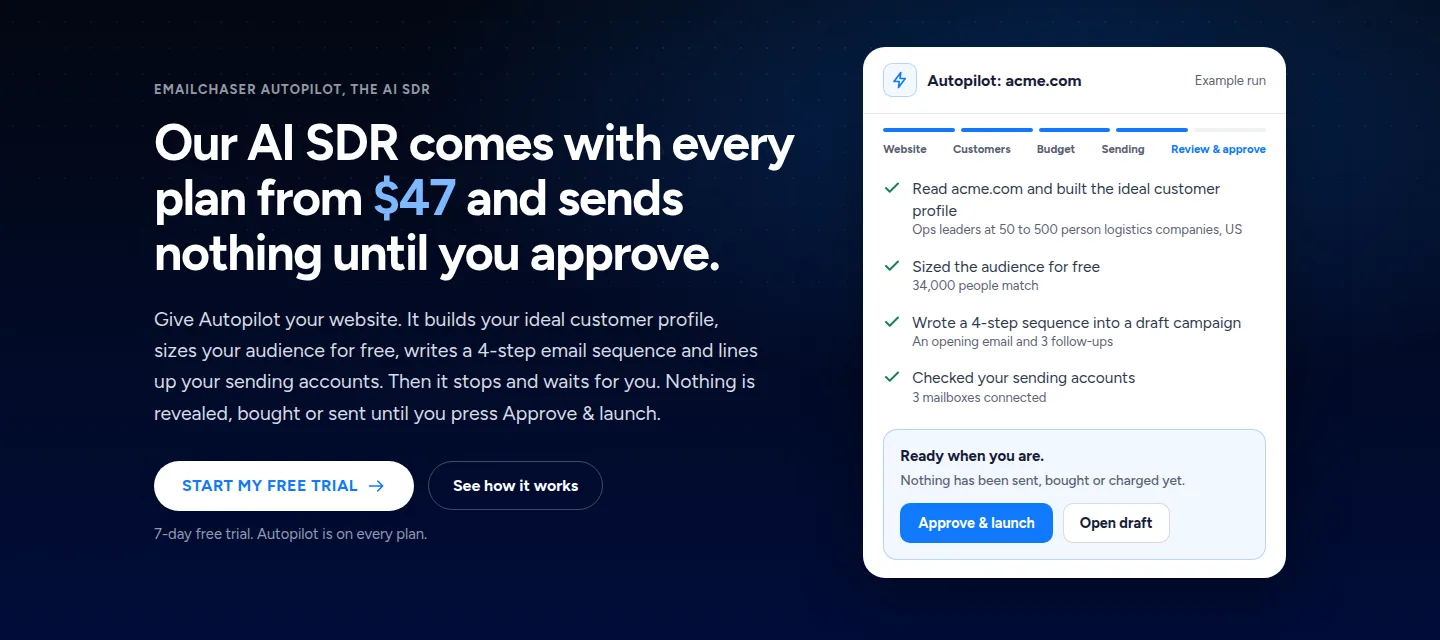
Autopilot picks the audience from your website, writes the emails and waits for your approval.
Prospect from LinkedIn to a sent email in four steps.
- SearchRun your search in Sales Navigator with the filters that match your buyer.
- ExportClick Export with Emailchaser to get a file of leads with verified work emails.
- UploadAdd the file to a campaign and write the opening email and follow-ups.
- SendLaunch from warmed-up mailboxes and answer the replies.
We compared them on five things that decide how fast you get from a search to a conversation.
- Where the prospects come from, and how you search.
- How you can start free.
- What one month costs per user or per credit.
- Whether the emails are checked before you use them.
- Whether you can follow up from the same account.
Every fact below comes from the vendor's own pages, read on 3 November 2026.
These are the eight sales prospecting tools worth a look in 2026.
1. Emailchaser turns a Sales Navigator search into verified emails and sends the campaign from the same account.
Run your prospecting search in LinkedIn Sales Navigator, click Export with Emailchaser, and get a CSV of leads with their work emails found and double-verified. Upload the file to a campaign and Emailchaser sends the opening email and the follow-ups.
- The extension is free to install, and you pay only for the verification checks your export runs, at $0.0017 a check.
- It works from your own Sales Navigator account, so the targeting is yours.
- Autopilot reads your website, sizes an audience for free and writes a 4-email sequence into a draft campaign, and nothing is sent until you approve.
- A business contact database is built in too, at $33 per 1,000 prospects, and the 7-day free trial includes 500 lead credits.
- Warm-up and inbox placement tests are in the same account.
Best for: Sellers who prospect on LinkedIn and want the follow-up emails sent without another tool.
2. LinkedIn Sales Navigator gives you 50+ search filters and AI insights on accounts and leads.
LinkedIn's Sales Navigator page lists three plans: Core for individual sellers, Advanced for sales teams and Advanced Plus for teams using an integrated CRM. Every plan lists 50+ advanced search filters and AI-powered account and lead insights.
- Advanced adds team seat management and buyer intent, and Advanced Plus adds advanced CRM integrations.
- It integrates with Salesforce, HubSpot, Microsoft Dynamics and Oracle.
- Core and Advanced link to their own pricing pages, and Advanced Plus is priced on a demo request.
Best for: Sellers who find their buyers on LinkedIn.
Source: business.linkedin.com/sell/sales-navigator/compare-plans, read 3 November 2026.
3. LeadIQ captures contacts as you browse and pushes them into your CRM and sequencing tools.
LeadIQ's pricing page lists a free plan for 1 user with 50 credits, and a Pro plan that starts at $15 a month at the 2,400-credits-a-year setting of its slider, with 5 users included. It says you can try any plan free for 30 days.
- Its features include people search with emails and mobile numbers, company search, a Chrome extension and an AI outbound message writer.
- It also lists signals such as hiring and 10-K mentions, and CRM and webform enrichment.
- Enterprise is priced on contact.
Best for: SDR teams that prospect from LinkedIn into Salesforce or another CRM.
Source: leadiq.com/pricing, read 3 November 2026.
4. Lusha's extension finds emails and phone numbers on LinkedIn, CRMs and any website.
Lusha's pricing page lists a free plan with 40 credits a month and 1 seat, then Starter at $37.45 a month billed yearly for 4,800 credits a year, with lookalikes, bulk enrichment and an AI assistant.
- Its plan comparison lists a browser extension for LinkedIn, CRMs and any website.
- The free plan lists automated email sequences and verified emails and phones.
- Our Lusha pricing guide prices every plan against Emailchaser.
Best for: Sales reps who prospect on many different websites.
Source: lusha.com/pricing, read 3 November 2026.
5. Wiza reveals unlimited emails from LinkedIn searches on a per-user yearly plan.
Wiza's pricing page lists a free plan with 20 valid emails and 5 phone numbers, an Email plan at $83 per user a month billed at $990 a year with unlimited email reveals, and an Email + Phone plan at $166 per user a month billed at $1,990 a year.
- Email lists phone numbers at $0.35 each and 2,500 exports a month.
- Both paid plans list AI Research and CRM integrations.
- The Team plan is custom, for 3 or more users, and adds CSV import and API access.
Best for: Individual sellers who export a lot of LinkedIn lists and want flat pricing.
Source: wiza.co/pricing, read 3 November 2026.
6. Evaboot exports Sales Navigator searches with emails from $9 a month for 100 credits.
Evaboot's pricing page lists one plan with everything included and a choice of volume: Starter at $9 a month for 100 credits, Grow at $29 for 400 and Scale at $49 for 1,000 credits, which it prices at $0.049 per credit.
- Every plan lists a Sales Navigator export, an email finder, an email verifier and data cleaning.
- Unlimited seats and unlimited Sales Navigator accounts are listed on every plan.
- Credits roll over, and an API and MCP are listed.
Best for: Anyone whose only job is exporting Sales Navigator searches at a low monthly cost.
Source: evaboot.com/pricing, read 3 November 2026.
7. Kaspr's Chrome extension finds contact details on LinkedIn and Sales Navigator from a free plan.
Kaspr's pricing page lists a free plan with 15 B2B email credits, 5 phone credits and 5 direct email credits a month. Starter is €59 per user a month with unlimited B2B email credits and 100 phone credits, and Business is €99 with 200.
- Starter adds Kaspr on Sales Navigator and up to 12,000 exports a year.
- Business adds Kaspr on LinkedIn Recruiter Lite, API access and up to 30,000 exports a year.
- Our Kaspr pricing guide goes through every plan.
Best for: Teams that mostly need B2B emails and a few phone numbers from LinkedIn.
Source: kaspr.io/pricing, read 3 November 2026.
8. Waalaxy automates LinkedIn invitations and follow-ups and adds email on its Business plan.
Waalaxy's pricing page lists Pro at $16 per user a month with 300 invitations a month, Advanced at $32 with 800, and Business at $55 with cold email sequences, multichannel campaigns and 500 email finder credits a month.
- All plans list unlimited campaigns, pre-built sequences and automated follow-ups.
- Prospects can be imported from LinkedIn Basic, Sales Navigator and Recruiter Lite.
- Every plan starts with a 14-day free trial.
Best for: Sellers whose prospects answer on LinkedIn.
Source: waalaxy.com/pricing, read 3 November 2026.
The right prospecting tool depends on which step slows you down.
| Your job | Start with |
|---|---|
| Search for buyers by title, industry and size | LinkedIn Sales Navigator |
| Export a Sales Navigator search with verified emails and send the campaign | Emailchaser |
| Export Sales Navigator lists as cheaply as possible | Evaboot or Wiza |
| Capture contacts as you browse and sync them to a CRM | LeadIQ, Lusha or Kaspr |
| Prospect through LinkedIn invitations | Waalaxy |
| Let an agent pick the audience and write the emails | Emailchaser's Autopilot |
Related reading: the best lead generation tools, the best B2B data providers and the best LinkedIn email finder tools.
People ask these questions about sales prospecting tools.
What is the best sales prospecting tool in 2026?
For sellers who prospect on LinkedIn and follow up by email we pick Emailchaser: the Lead Finder extension is free to install, it exports a Sales Navigator search with double-verified work emails, and the campaign sends from the same account. Sales Navigator is the search layer most of these tools build on.
What is a sales prospecting tool?
It is software that helps you find the people most likely to buy and gets their contact details. Some tools only find contacts, and others also write and send the outreach.
What are the best free sales prospecting tools?
Emailchaser's Lead Finder extension is free to install, and the 7-day free trial includes 500 lead credits. Lusha has 40 free credits a month, LeadIQ 50 credits, Wiza 20 valid emails and Kaspr 15 B2B email credits a month.
How much do sales prospecting tools cost?
On the vendors' own pages: Emailchaser from $47 a month with sending included, Evaboot from $9 a month for 100 credits, Waalaxy from $16 per user, LeadIQ's Pro from $15 a month, Lusha from $37.45 on yearly billing, Kaspr from €59 per user and Wiza from $83 per user on yearly billing.
How do I prospect on LinkedIn?
Build a search in Sales Navigator with your buyer's title, industry and company size, then export it with a tool that finds each work email. Emailchaser's Lead Finder, Wiza, Evaboot and Kaspr all work from Sales Navigator.
Do I need Sales Navigator to use these tools?
For the tools that export Sales Navigator searches, such as Emailchaser's Lead Finder and Evaboot, yes, you run the search in your own Sales Navigator account. Emailchaser's built-in contact database and Autopilot do not need it.
How do I follow up with prospects after I find them?
Send a short opening email and three or four follow-ups spread over a couple of weeks. In Emailchaser you upload the exported file to a campaign, or let Autopilot write a 4-email sequence into a draft that waits for your approval.
Should I verify prospect emails before sending?
Yes. Emailchaser's Lead Finder double-verifies each email, and its other addresses are checked before the first email at $0.0017 a check, one or two checks per address.
Still not convinced?
Read all 34 customer messages.
SEE REVIEWSP.s. these are actually real reviews (not fake G2 reviews) 🙂
“Btw thanks for your continuous help, best support ever! It means a lot as when I understand how the tool works, esp. In problematic situations, and And what it can do and cannot so from the start, I have more trust. There’s nothing worse for a user than what Smartlead does: lots of great features that don’t really work, including crucial ones for a sequencer like auto fallback to connected accounts when account gets disconnected (doesn’t have to get back to the original one after reconnection, no one expects miracles, just a solid infra delivering on its specs - not promises), plus their low quality support when the issues are revealed.”
“Got my first reply with Emailchaser :)”
“We've recently upgraded to the premium plan to increase our sending volume. Just wanted to say thanks for such an awesome platform and the support you've already given in getting us started.”
Ready to let your AI agent set it up?
Give it your website. Approve once.
Start my free trial