The 8 Best LinkedIn Email Finder Tools in 2026
LinkedIn shows an email address only to a person's own connections, and only if they chose to share it, so a finder reads the name and company from the profile and works out the work email. These are the eight LinkedIn email finders we would shortlist, compared on how you start free, how they handle a whole list of profiles and what else the same account does.
Updated 3 November 2026
Emailchaser is our pick for teams that email the people they find. Paste a LinkedIn profile link and you get a work email checked twice by two separate verification services, 3 free lookups a day with no signup, up to 10,000 profile links in one run, and the same account sends the campaign.
Anymail Finder, GetProspect and Skrapp charge only for the emails they find. Snov.io, Skrapp and Lusha suit teams that work from a browser extension, and Lusha, ContactOut and Kaspr also sell phone numbers.
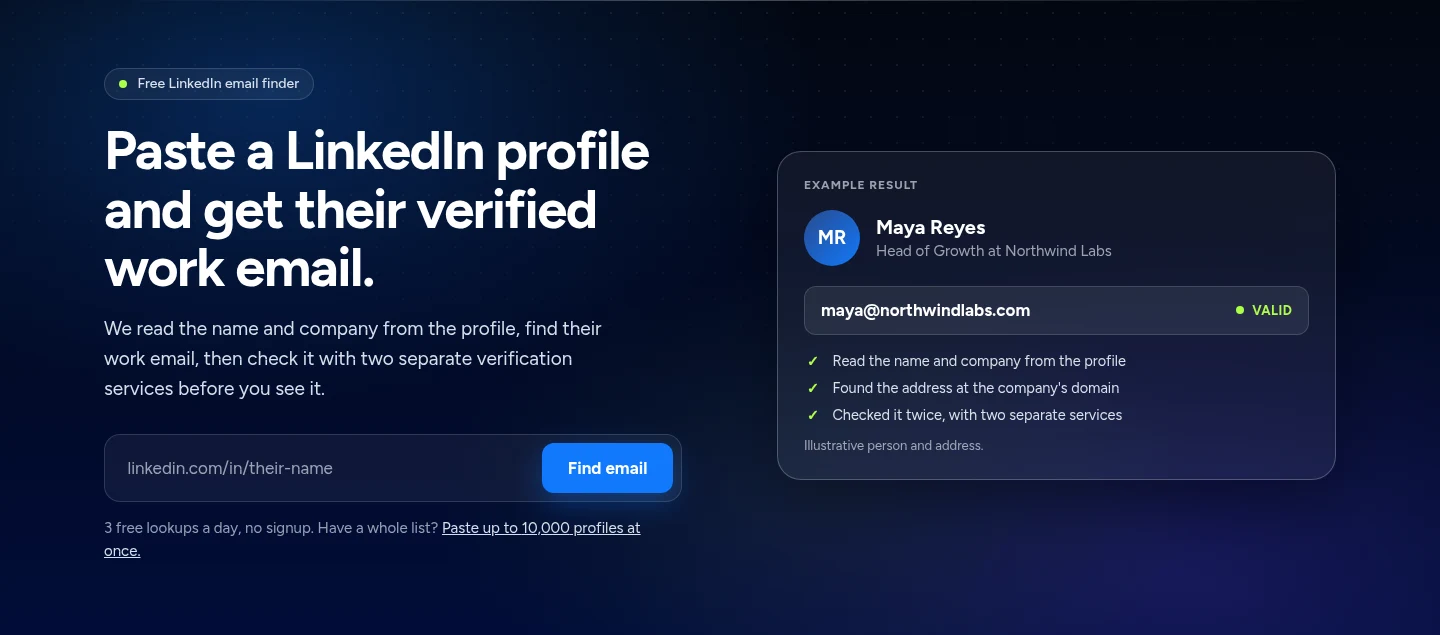
Here is how the eight LinkedIn email finders compare at a glance.
Swipe sideways to see every column.
| # | Tool | How it starts from LinkedIn | Free start | Lists and Sales Navigator | Also in the account |
|---|---|---|---|---|---|
| 1 |  Emailchaser | Paste a profile link, nothing to install | 3 lookups a day, no signup | 10,000 profile links a run, and Sales Navigator export with the Lead Finder extension | Verifier, lead finder and the campaign sender |
| 2 | Anymail Finder | A LinkedIn URL in its person search | 100 trial credits | Bulk email finder | Email verifier and API |
| 3 | GetProspect | A LinkedIn extension on every plan | 50 valid emails | Bulk email finder and CSV enrichment | Email verifier, reverse email lookup and API |
| 4 |  Snov.io | LinkedIn Prospect Finder extension | A free trial plan | Bulk prospect search | Cold email sending, warm-up, CRM and LinkedIn automation |
| 5 | Skrapp | LinkedIn Basic, Sales Navigator and Recruiter extensions | 50 free credits | List exports, and a List Saver for Sales Navigator on Professional | Email verifier, CRM sync and AI enrichment |
| 6 |  Lusha | A browser extension for LinkedIn, CRMs and any website | 40 credits a month | Bulk enrichment from the Starter plan | Phone numbers and email sequences |
| 7 |  ContactOut | A browser extension and a search portal | 5 emails a day | 300 exports a month on the Email plan | Phone numbers and email campaigns |
| 8 |  Kaspr | A Chrome extension, with Sales Navigator on Starter and above | 15 B2B email credits a month | CSV enrichment | Phone numbers and lead management |
Free starts and features as published on each vendor's own pages, read on 3 November 2026. Each card below links to the vendor's pricing.
Emailchaser's three plans cover 300, 1,000 and 2,000 LinkedIn profiles a month.
A profile costs 5 credits, a profile Emailchaser cannot match costs nothing, and every plan includes credits each month.
In our August 2026 test Emailchaser found 88 of 100 work emails and Hunter found 67.
A profile lookup starts from the same two things, the name and the company. We tested only these two tools, and the full write-up is in our best email finder tools guide.
Find an email from a LinkedIn profile in four steps.
- PasteCopy the profile link from your browser's address bar.
- ReadThe finder reads the person's name and company from the profile.
- FindIt looks for the work email at the company's domain.
- CheckEvery address is verified before you see it.
We compared them on five things that decide how many emails you get and what you do next.
- How you start from a LinkedIn profile: a pasted link, a browser extension or a Sales Navigator export.
- How you can try it free, and how much the free start covers.
- Whether a whole list of profiles can run at once.
- Whether you pay for every lookup or only for the emails it finds.
- What else the same account does, such as phone numbers, verification or sending the campaign.
Every fact below comes from the vendor's own pages, read on 3 November 2026.
These are the eight LinkedIn email finders worth a look in 2026.
1. Emailchaser checks each address twice and finds it from a pasted profile link.
Paste a LinkedIn profile link and Emailchaser reads the name and company, finds the person's work email at the company's domain, and checks it with two separate verification services before you see it. There is nothing to install, and a lookup can take up to a minute.
- Free to try: 3 lookups a day with no signup, and a new lookup comes back every 8 hours.
- Inside Emailchaser a profile costs 5 credits, and a profile it cannot match costs nothing. Starter, at $47 a month, covers 300 profiles a month.
- Paste up to 10,000 profile links or upload a CSV in one run, and download the emails as a spreadsheet.
- The Lead Finder extension exports a whole Sales Navigator search with one click, up to 2,500 leads per LinkedIn account a day.
- The people you find go straight into a campaign with automatic follow-ups, sent from your own mailboxes.
Best for: Teams that find LinkedIn contacts and email them from the same account.
2. Anymail Finder charges a credit only when it finds a verified email.
Anymail Finder takes a person's name and domain, or a LinkedIn URL, and charges 1 credit only if it finds a verified email. Verification is included in every search result, so you are never charged extra to check a found email.
- Searching by role and domain costs 2 credits, and a company-wide search returns up to 20 emails for 1 credit.
- Every monthly plan starts with a 7-day trial and 100 credits.
- Re-running the same search within 30 days is free.
Best for: Teams that want to pay per found email and nothing else.
Source: anymailfinder.com/pricing, read 3 November 2026.
3. GetProspect puts its LinkedIn extension and bulk finder on every plan, free included.
GetProspect charges 1 credit when it gives you a valid email you do not already own. Its pricing page says not-found, invalid and unverifiable catch-all results are free, and so is an email you already revealed or saved.
- The free plan includes 50 valid emails and 100 email verifications.
- Every plan includes a bulk email finder, CSV enrichment, reverse email lookup, API access and unlimited teammates.
- Each paid plan includes 5 phone credits a month.
Best for: Teams that want a LinkedIn extension and a bulk finder without moving up a plan.
Source: getprospect.com/pricing, read 3 November 2026.
4. Snov.io pairs a LinkedIn Prospect Finder extension with cold email sending.
Snov.io sells prospecting, verification and cold email sending in one suite, billed in credits. Its plans list a LinkedIn Prospect Finder extension, an Email Finder extension and bulk prospect search.
- Plans include 7-tier email verification and bounce risk detection.
- LinkedIn automation is listed on its plans, and its FAQ says every user can try it free for 7 days.
- Every plan includes unlimited team seats, a Sales CRM, email warm-up and unlimited campaigns.
- Our Snov.io pricing guide prices every plan against Emailchaser.
Best for: Teams that want finding, verifying and sending in one suite.
Read our Snov.io pricing guide
Source: snov.io/pricing, read 3 November 2026.
5. Skrapp has extensions for LinkedIn, Sales Navigator and LinkedIn Recruiter.
Skrapp's pricing page lists an email finder, an email verifier and extensions for LinkedIn Basic, Sales Navigator and LinkedIn Recruiter, and says you only pay for deliverable emails.
- The free plan has 50 credits and 1 user.
- Professional adds multi-page enrichment for LinkedIn, auto-connect with LinkedIn profiles, a List Saver for Sales Navigator, list exports and CRM sync.
- Credits roll over on paid plans, and Enterprise adds an API.
Best for: Teams that work inside LinkedIn Sales Navigator or Recruiter all day.
Source: skrapp.io/pricing, read 3 November 2026.
6. Lusha's browser extension works on LinkedIn, CRMs and any website.
Lusha sells verified emails and phone numbers in credits. Its plan comparison lists a browser extension for LinkedIn, CRMs and any website, plus bulk enrichment, CSV enrichment and an API on higher plans.
- The free plan has 40 credits a month and 1 seat.
- On yearly billing the paid plans grant their credits up front: Starter 4,800 a year, Pro 7,200 and Premium 40,800.
- Automated email sequences and call recordings are listed among its key features.
- Our Lusha pricing guide prices every plan against Emailchaser.
Best for: Sales teams that call as well as email.
Source: lusha.com/pricing, read 3 November 2026.
7. ContactOut gives 5 emails a day free and sells unlimited emails on paid plans.
ContactOut works through a browser extension and a search portal. Its free plan gives 5 emails, 5 phone numbers and 5 exports a day, and its pricing page shows different prices with and without US and UK data, so check which one applies to you.
- The Email plan gives unlimited emails and 300 exports a month, and the Email + Phone plan adds unlimited phones and 600 exports a month.
- Email campaigns, a list builder and an AI email writer are listed on the paid plans.
- The plans listed are limited to 1 user per company.
- Our ContactOut pricing guide prices every plan against Emailchaser.
Best for: Individual sellers and recruiters who live in the browser.
Read our ContactOut pricing guide
Source: contactout.com/pricing, read 3 November 2026.
8. Kaspr offers unlimited B2B email credits on its paid plans.
Kaspr sells B2B email credits, phone credits and direct email credits per user. Its plans list a Chrome extension, Kaspr on Sales Navigator and Kaspr on LinkedIn Recruiter Lite.
- The free plan has 15 B2B email credits, 5 phone credits and 5 direct email credits a month.
- Starter and Business include unlimited B2B email credits, with export limits of 12,000 and 30,000 a year.
- Prices are per user, so a team pays for every seat.
- Our Kaspr pricing guide prices every plan against Emailchaser.
Best for: Teams that prospect from Sales Navigator and want phone numbers.
Source: kaspr.io/pricing, read 3 November 2026.
The right LinkedIn email finder depends on the job in front of you.
| Your job | Start with |
|---|---|
| Find an email from a profile link and email the person from the same account | Emailchaser |
| Check one profile right now, with no signup | Emailchaser, 3 free lookups a day |
| Pay only when a verified email is found | Anymail Finder, GetProspect or Skrapp |
| Work inside LinkedIn, Sales Navigator or Recruiter with a browser extension | Skrapp, Kaspr, Lusha or Snov.io |
| Get phone numbers next to the emails | Lusha, ContactOut or Kaspr |
Related reading: the best email finder tools, the best email extractor tools, the best email verification tools and the best bulk email verification services. To find an address from a name and a company, use the free email finder.
People ask these questions about LinkedIn email finders.
What is the best LinkedIn email finder in 2026?
For teams that email the people they find we pick Emailchaser: you paste a profile link, a work email comes back checked by two separate verification services, 3 lookups a day are free with no signup, and the same account sends the campaign. Anymail Finder, GetProspect and Skrapp charge only for the emails they find, and Lusha, ContactOut and Kaspr also sell phone numbers.
How do I find someone's email address from their LinkedIn profile?
Paste their profile link into a LinkedIn email finder. The finder reads the name and company from the profile, finds the work email at the company's domain and checks it. With Emailchaser's free finder you paste the link into the box and click Find email, and a lookup can take up to a minute.
Is there a free LinkedIn email finder?
Yes. Emailchaser's LinkedIn email finder gives 3 free lookups a day with no signup. Anymail Finder starts with 100 trial credits, GetProspect and Skrapp have free plans with 50 valid emails and 50 credits, Lusha gives 40 credits a month, ContactOut gives 5 emails a day and Kaspr gives 15 B2B email credits a month.
Does LinkedIn show a person's email address?
Only to their own connections, and only if they chose to share it. Most profiles do not show one, so a finder works from the name and company on the profile instead.
Do I need LinkedIn Sales Navigator to find emails?
Not for profile links. You only need Sales Navigator to export a whole search at once, and Emailchaser's Lead Finder extension exports up to 2,500 leads per LinkedIn account a day.
Can I find emails for a whole list of LinkedIn profiles?
Yes. Inside Emailchaser you paste your profile links or upload a CSV, up to 10,000 links in one run, and download the emails as a spreadsheet. Anymail Finder and GetProspect list a bulk email finder, and Snov.io lists bulk prospect search.
How much does it cost to find an email from a LinkedIn profile?
On Emailchaser's page, nothing: 3 lookups a day with no signup. Inside Emailchaser a profile costs 5 credits and a profile it cannot match costs nothing, so Starter at $47 a month covers 300 profiles a month. Read each other vendor's pricing page for its own prices.
Is it legal to email someone you found on LinkedIn?
Yes, for legitimate business outreach. Emailchaser only returns work contact details, complies with GDPR and CCPA, and anyone can ask us to remove their data through our opt-out page.
Still not convinced?
Read all 34 customer messages.
SEE REVIEWSP.s. these are actually real reviews (not fake G2 reviews) 🙂
“Btw thanks for your continuous help, best support ever! It means a lot as when I understand how the tool works, esp. In problematic situations, and And what it can do and cannot so from the start, I have more trust. There’s nothing worse for a user than what Smartlead does: lots of great features that don’t really work, including crucial ones for a sequencer like auto fallback to connected accounts when account gets disconnected (doesn’t have to get back to the original one after reconnection, no one expects miracles, just a solid infra delivering on its specs - not promises), plus their low quality support when the issues are revealed.”
“Got my first reply with Emailchaser :)”
“We've recently upgraded to the premium plan to increase our sending volume. Just wanted to say thanks for such an awesome platform and the support you've already given in getting us started.”
Ready to let your AI agent set it up?
Give it your website. Approve once.
Start my free trial