The 8 Best Email Automation Software Tools in 2026
Email automation software sends your opening email and every follow-up on a schedule, and stops when someone replies. These are the eight we would shortlist for sales email from your own mailboxes, compared on volume, mailboxes and monthly price.
Updated 5 November 2026
Emailchaser is our pick for email automation: Autopilot reads your website and drafts the campaign, campaigns send the opening email and every follow-up from your own mailboxes with warm-up and inbox rotation, and one Unibox collects the replies, from $47 a month with unlimited mailboxes and team seats.
At volume Emailchaser is the lower price: Pro sends 125,000 emails a month for $97, $10 under Instantly's Hypergrowth plan at the same volume, and Max sends 500,000 for $358, the same price as Instantly's Light Speed and $21 under Smartlead's Prime.
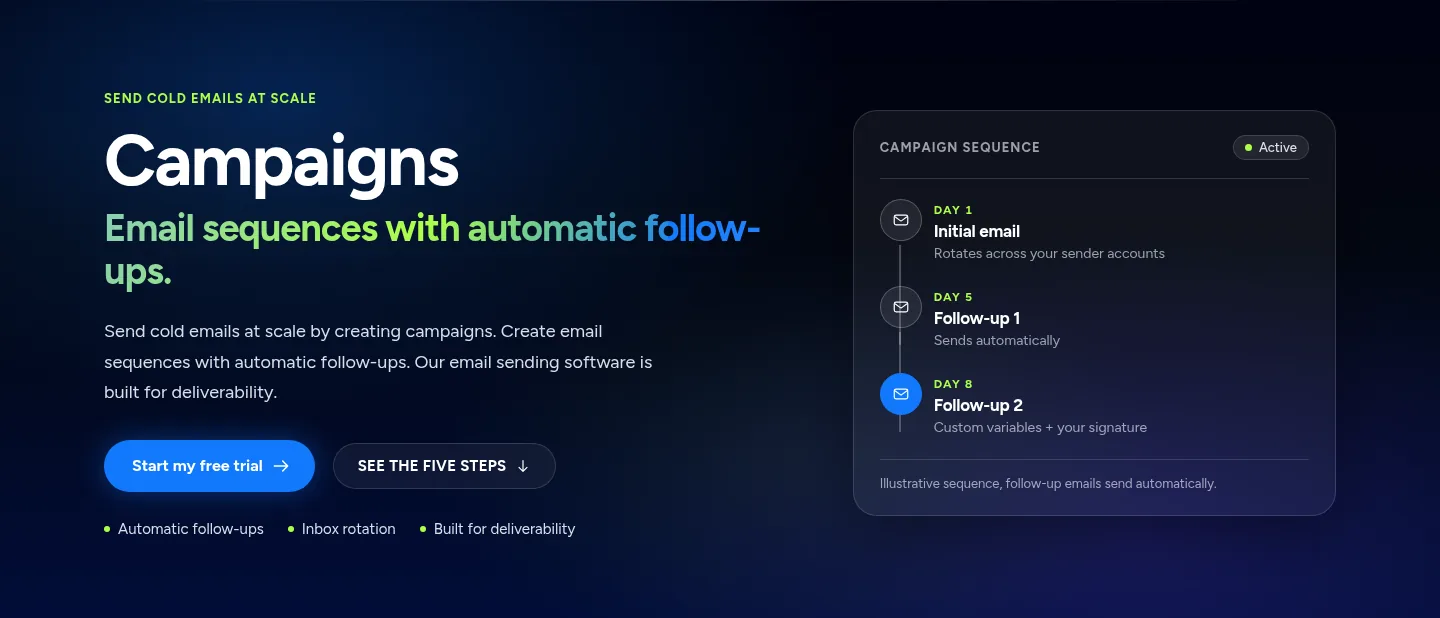
Here is how the eight email automation tools compare at a glance.
Swipe sideways to see every column.
| # | Tool | Cheapest paid plan | Emails a month on it | What the plan page lists |
|---|---|---|---|---|
| 1 |  Emailchaser | Starter, $47 a month | 5,000 | Unlimited mailboxes and team seats, warm-up, inbox rotation, Lead Finder, verifier, Unibox and Autopilot |
| 2 |  Instantly | Growth, $47 a month | 5,000 | Unlimited email accounts and warm-up, 1,000 uploaded contacts |
| 3 |  Smartlead | Base, $39 a month | 6,000 sends | 2,000 contacts and 2,000 verified emails |
| 4 |  lemlist | Email, $69 a month | 50,000 | Unlimited users and senders, warm-up, email and phone finder |
| 5 |  Woodpecker | Email, $39 a month | 5,000 | Unlimited email accounts and team members, 3 warm-ups, 100 Lead Finder credits |
| 6 |  Mailshake | Starter, $29 a month | 1,500 | 1 email address per account; Email Outreach at $49 sends unlimited |
| 7 |  GMass | Standard, $29.95 a month | Listed as unlimited | Works inside Gmail, sequences and follow-ups, free address verification |
| 8 |  Reply.io | Multichannel, $99 a user a month | Unlimited | 5 mailboxes per user, warm-up and 50 live data credits; Email Volume: see their site |
Prices and features as published on each vendor's own pricing page, monthly billing, read on 5 November 2026. Each card below links to the vendor's page.
Emailchaser's Pro plan sends 125,000 emails a month for $97, $10 under Instantly's Hypergrowth plan.
Monthly billing, read on each vendor's pricing page on 5 November 2026. Smartlead's plan below Smart is Pro at $94 for 90,000 sends.
Emailchaser's Max plan sends 500,000 emails a month for $358, the same price as Instantly's Light Speed and $21 under Smartlead's Prime.
Monthly billing, read on each vendor's pricing page on 5 November 2026.
Email automation covers three jobs, and Emailchaser does all three in one account.
Campaigns send the opening email and schedule every follow-up from your own mailboxes, and a follow-up stops when the lead replies.
Warm-up and inbox rotation spread the volume across your mailboxes so each one keeps a healthy sending record.
The Unibox collects every reply in one list, and on Max and Enterprise interested leads move into the Sales CRM pipeline.
Autopilot sets the campaign up from your website and waits for one approval.
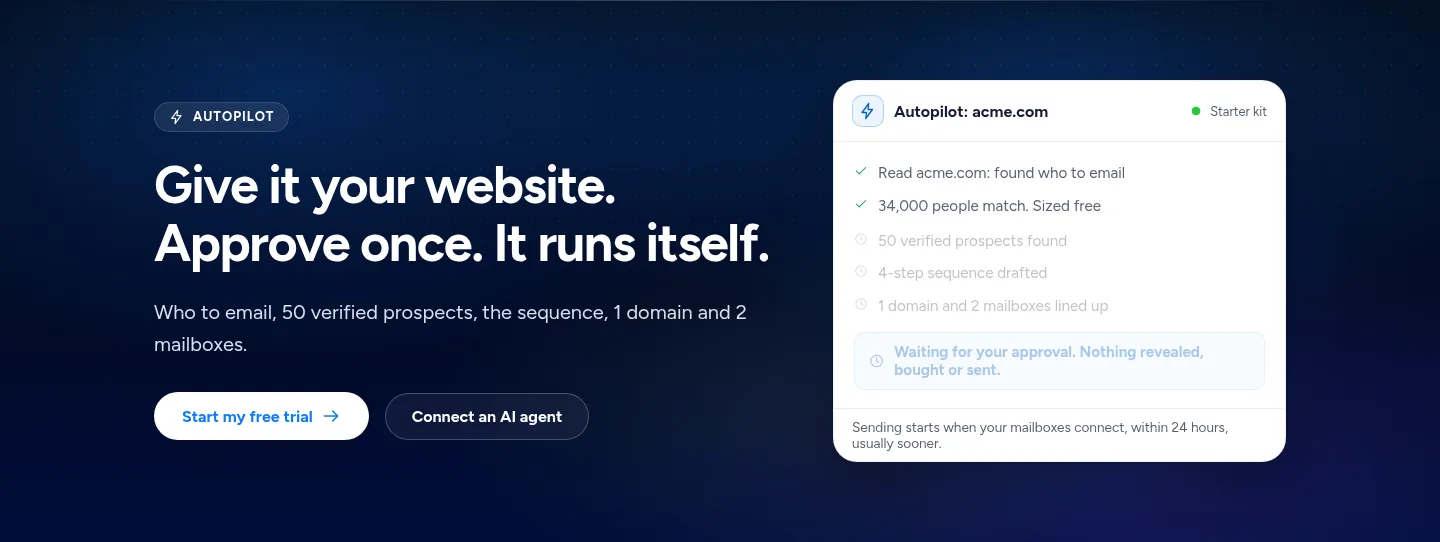
You can automate a campaign from your own mailboxes in five steps.
- ConnectAdd your Google, Outlook or SMTP mailboxes, as many as you like.
- Warm upLet warm-up ramp each mailbox up gradually before it sends at full volume.
- Add leadsFind prospects in the Lead Finder and verify them before you send.
- WriteDraft an opening email and its follow-ups, or let Autopilot write the 4-email sequence.
- LaunchStart the campaign and answer replies from the Unibox.
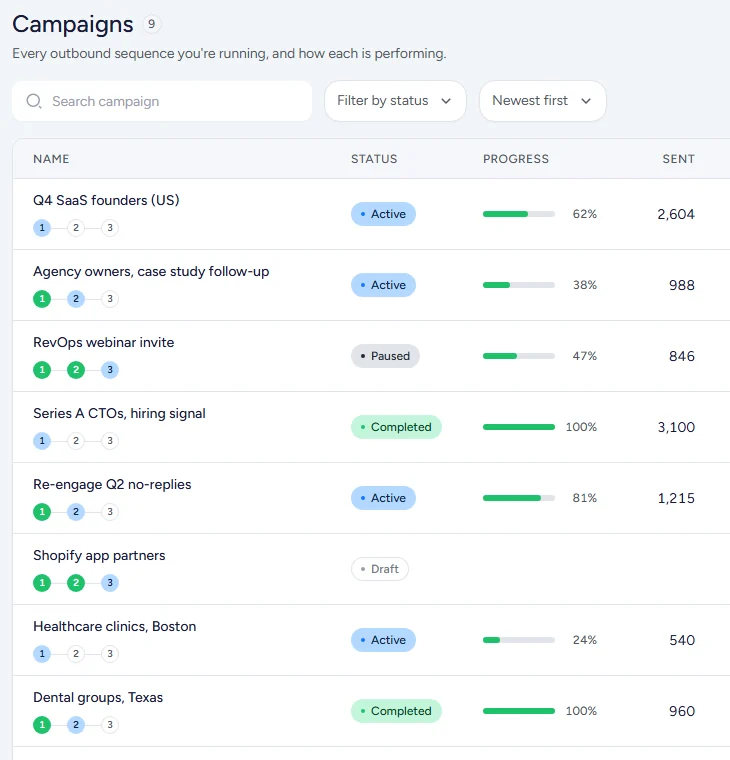
Every sequence shows its status and progress in one list.
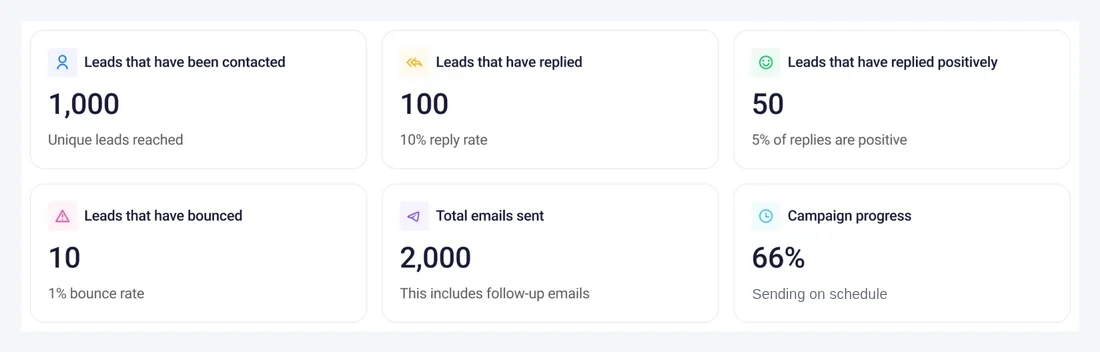
Campaign analytics count replies, positive replies, bounces and emails sent.
We compared the tools on five things that decide how well email automation works.
- The emails a month the cheapest paid plan sends.
- Whether mailboxes are unlimited or counted in the plan.
- Whether warm-up, verification and a lead source come in the plan.
- How follow-ups and A/B tests are set up.
- The monthly price, read from the vendor's own pricing page.
Every fact below comes from the vendor's own pages, read on 5 November 2026.
These are the eight email automation tools worth a look in 2026.
1. Emailchaser automates the opening email, the follow-ups and the replies from your own mailboxes, with Autopilot doing the setup, from $47 a month.
Give Autopilot your website and it works out who to email, sizes the audience for free and drafts the sequence, then waits for your approval before anything is revealed, bought or sent. Campaigns then send each email and its follow-ups on a schedule from your own Google, Outlook or SMTP mailboxes, and every reply lands in one Unibox.
- Follow-ups go out on their own and stop when a lead replies, and each step can test up to 26 A/B variants.
- Warm-up, inbox rotation, the Lead Finder and the email verifier are on every plan, so mailboxes, prospects and sending sit in one account.
- Autopilot writes a 4-email sequence, an opening email and 3 follow-ups, and keeps running after you approve: it tops up prospects, promotes winning variants and drafts replies for you to send.
- $97 a month on Pro sends 125,000 emails to 25,000 active contacts, and the 7-day free trial includes 500 lead credits.
Best for: Founders, agencies and sales teams that want sales email automated from setup to reply in one account.
2. Instantly's Growth plan is $47 a month for 5,000 emails and 1,000 uploaded contacts, with unlimited email accounts and warm-up.
Instantly's pricing page lists unlimited email accounts and unlimited email warm-up, and its feature table covers advanced sequences, advanced scheduling, A/Z testing, bounce detection, the API and webhooks, and a Unibox.
- Hypergrowth is $107 a month for 125,000 emails and 25,000 uploaded contacts, and it lists a built-in CRM with the Unibox.
- Light Speed is $358 a month for 500,000 emails and 100,000 uploaded contacts.
- Its FAQ points to Instantly Lead Finder for finding prospects, and its site lists AI agents such as an AI SDR.
Best for: Teams that run many mailboxes and want a dedicated cold email sequencer.
Source: instantly.ai/pricing, read 5 November 2026.
3. Smartlead's Base plan is $39 a month for 6,000 email sends and 2,000 contacts, and its Pro plan is $94 for 90,000 sends.
Smartlead's pricing page counts contacts, email sends and verified emails in each plan, and its feature table lists a warm-up pool, CRM access, call access, API and webhooks, and clients or workspaces.
- Pro includes 30,000 contacts, 90,000 email sends and 30,000 verified emails.
- Smart is $174 a month for 150,000 email sends and 50,000 verified emails, with unlimited contacts.
- Prime is $379 a month for 500,000 email sends and 170,000 verified emails.
Best for: Agencies and teams that send at high volume and want verified emails counted in the plan.
Source: smartlead.ai/pricing, read 5 November 2026.
4. lemlist's Email plan is $69 a month for unlimited users and senders and 50,000 emails, and its Multichannel plan is $109.
lemlist's Email plan lists an email and phone number finder, email warm-up with a deliverability hub, its lemAgent AI agent, and CRM integrations with an API. The Multichannel plan adds LinkedIn automation, SMS automation and a built-in call dialer.
- Multichannel lists 5 senders per user and unlimited emails and messages.
- Yearly billing takes the plans to $55 and $87 a month.
- The 14-day free trial uses the Multichannel plan's features and includes 200 free credits to find emails and phone numbers.
Best for: Teams that want email, LinkedIn and SMS steps in one sequence.
Source: lemlist.com/pricing, read 5 November 2026.
5. Woodpecker's Email plan is $39 a month for 5,000 emails, with unlimited email accounts and unlimited team members.
Woodpecker's Email plan lists unlimited contact storage, unlimited email verification, 3 warm-ups, 100 Lead Finder credits, unlimited team members and unlimited email accounts.
- Multichannel is $68 a month and adds 1 LinkedIn account to the email plan.
- The LinkedIn plan is $29 a month for 1 LinkedIn account.
- Annual billing takes the Email plan to $26 a month, and the Scale plan is custom priced.
Best for: Small teams that want email outreach with a free 14-day start.
Source: woodpecker.co/pricing, read 5 November 2026.
6. Mailshake's Email Outreach plan is $49 a month with unlimited sends from 2 email addresses per account.
Mailshake's plans list unlimited campaigns, unlimited uploaded contacts, unlimited email warm-up and unlimited email verification. Email Outreach adds email rotation, a unified inbox, advanced scheduling and throttling, and integrations with Salesforce, Pipedrive and HubSpot.
- Starter is $29 a month for 1 email address per account and 1,500 sends a month, with automated sequences and A/B testing.
- Sales Engagement is $99 a month with 10 email addresses per account, 5 phone numbers and a power phone dialer.
- Data Finder is a separate $19 a month add-on.
Best for: Sales teams that want sequences plus a phone dialer in one plan.
Source: mailshake.com/pricing, read 5 November 2026.
7. GMass works inside Gmail, and its Standard plan is $29.95 a month and its Premium plan is $39.95.
GMass lists mail merge personalization, sequences and follow-ups, free email address verification, a Spam Solver and unlimited emails and contacts on every plan, billed monthly.
- Premium adds API access, A/B testing, triggered emails and inbox rotation.
- Professional adds high-priority support.
- Annual billing lowers the monthly rate on each plan.
Best for: People who want to send and follow up from a Gmail account.
Source: gmass.co/pricing, read 5 November 2026.
8. Reply.io's Multichannel plan starts from $99 a user a month with email, LinkedIn, SMS and phone steps.
Reply.io's Multichannel plan lists 5 mailboxes per user, email warm-up, unlimited emails, 50 live data credits a month and an anti-spam and deliverability suite. Its Email Volume plan lists unlimited mailboxes and unlimited emails, and its price moves with your contact count, so see their site for it.
- LinkedIn automation is $69 a month per account and Calls and SMS is $29 a month per user.
- A 14-day free trial is offered on the Multichannel plan.
- Its site also lists Jason, an AI SDR, from $500 a month.
Best for: Teams that run email, LinkedIn and phone outreach from one platform.
Source: reply.io/pricing, read 5 November 2026.
Emailchaser covers each email automation job in the same account.
| The job | How Emailchaser does it |
|---|---|
| Set up a campaign fast | Autopilot reads your website, sizes the audience for free and drafts the sequence for one approval. |
| Send follow-ups automatically | Each step goes out on a schedule and stops when the lead replies, with up to 26 A/B variants a step. |
| Send from many mailboxes | Connect unlimited Google, Outlook or SMTP mailboxes and rotate sends across them. |
| Keep mailboxes healthy | Warm-up ramps each mailbox up gradually, and the Inbox Placement add-on tests real inboxes. |
| Find and verify prospects | The Lead Finder and the email verifier are on every plan. |
| Handle replies | Every reply lands in one Unibox with AI replies, and on Max interested leads move into the Sales CRM. |
Related reading: the best sales automation software, the best cold email software, the best email warmup tools and the best email tracking tools. To see the automation first, read about campaigns and Autopilot.
People ask these questions about email automation software.
What is the best email automation software in 2026?
For sales email from your own mailboxes we pick Emailchaser: Autopilot sets the campaign up, campaigns send the follow-ups automatically, and warm-up, a lead source, a verifier and the Unibox are in the same account from $47 a month. Instantly, Smartlead, lemlist, Woodpecker, Mailshake, GMass and Reply.io are the other cold email senders we compared.
What is email automation software?
It is software that sends an email and its follow-ups for you on a schedule, from your own mailboxes, and stops the sequence when a lead replies. Emailchaser also finds and verifies the prospects and collects the replies in one Unibox.
How much does email automation software cost?
From the vendors' own pages on monthly billing, the cheapest paid plans are Mailshake Starter at $29, GMass Standard at $29.95, Smartlead Base and Woodpecker Email at $39, Instantly Growth at $47, lemlist Email at $69 and Reply.io Multichannel at $99 a user. Emailchaser's plans start at $47 a month, and Pro sends 125,000 emails for $97.
Can I automate email from my own Gmail or Outlook mailbox?
Yes. Emailchaser connects your own Google, Outlook or SMTP mailboxes with no limit on how many, warms them up and rotates sends across them. GMass works inside a Gmail account.
Does Emailchaser send follow-ups automatically?
Yes. You set the opening email and each follow-up with its delay, the follow-ups go out on their own, and a lead who replies drops out of the sequence. Each step can test up to 26 A/B variants.
Does Emailchaser track email opens?
Emailchaser leaves open and click tracking out on purpose, so no tracking pixel is added to your emails. It counts replies, positive replies, bounces and meetings, the events that lead to a sale.
Is there a free trial for Emailchaser?
Yes. The free trial runs 7 days and includes 500 lead credits, with every feature on the plan you pick.
Still not convinced?
Read all 34 customer messages.
SEE REVIEWSP.s. these are actually real reviews (not fake G2 reviews) 🙂
“Btw thanks for your continuous help, best support ever! It means a lot as when I understand how the tool works, esp. In problematic situations, and And what it can do and cannot so from the start, I have more trust. There’s nothing worse for a user than what Smartlead does: lots of great features that don’t really work, including crucial ones for a sequencer like auto fallback to connected accounts when account gets disconnected (doesn’t have to get back to the original one after reconnection, no one expects miracles, just a solid infra delivering on its specs - not promises), plus their low quality support when the issues are revealed.”
“Got my first reply with Emailchaser :)”
“We've recently upgraded to the premium plan to increase our sending volume. Just wanted to say thanks for such an awesome platform and the support you've already given in getting us started.”
Ready to let your AI agent set it up?
Give it your website. Approve once.
Start my free trial